

If you sell B2B, your pipeline depends on how consistently you attract and qualify new accounts. The right lead generation tools determine whether your team spends time on high-fit prospects or chases dead ends. This guide compares 30 B2B lead generation tools and explains when to use each for inbound vs. outbound motions. We focus on three selection criteria: data quality, platform safety, and CRM fit.
Quick summary
- Inbound tools help you capture interest you don’t control—through lead generation forms, landing pages, website visitor tracking, and email nurture campaigns.
- Outbound tools let you create intent in target accounts using data enrichment, lead scoring, automated outreach, and scheduling automation.
Best B2B lead generation tools at a glance
The table below shows pricing as of June 2026 and outcome-focused capabilities. “Features” here means what each tool enables you to do faster or more accurately.
| Tool Name | Starting Price | Free Trial | Key Capabilities |
| PhantomBuster | $56/month | Yes | • Lead data scraping and export • Lead enrichment • LinkedIn outreach automation • Pre-built automations |
| PhantomBuster | $56/month | Yes | • Extract and enrich leads from LinkedIn, X, and Sales Navigator • Sync enriched lists to HubSpot/Salesforce • Automate multi-step outreach workflows |
| Apollo.io | $59/month | Yes | • Build ICP lists with granular firmographic filters • Sync data bidirectionally with CRM • Track sequence performance across channels |
| Clay | $149/month | Yes | • Enrich leads from 50+ data sources • Generate AI-personalized email copy at scale • Route qualified leads to CRM automatically |
| Lemlist | $39/month | Yes | • Personalize cold emails with dynamic variables and video • Warm up new domains to protect sender reputation • Integrate with PhantomBuster for LinkedIn → email workflows |
| Dropcontact | €24/month | Yes | • Find and verify emails without storing personal data • Enrich contact records (job title, company, LinkedIn) • Run GDPR-friendly workflows for EU markets |
| LinkedIn Sales Navigator | $99/month | Yes | • Filter decision-makers by seniority, function, and signals • Track job changes and engagement for timing • Send InMail to prospects outside your network |
| Dripify | $39/month | Yes | • Automate LinkedIn connection and follow-up sequences • Centralize LinkedIn inbox and track reply rates • A/B test messaging to improve acceptance |
| Expandi | $99/month | Yes | • Run LinkedIn campaigns across multiple accounts • Use rate-limiting to stay within platform safety thresholds • Deploy pre-built campaign templates (Connector, InMail, Group) |
| ChatGPT | $20/month | Yes | • Build ICP personas and scoring rubrics • Draft outreach copy and refine tone • Normalize and clean existing lead data fields |
| Gong | Contact sales | No | • Transcribe and analyze sales calls for coaching • Surface deal risks and next-step gaps • Forecast pipeline health based on conversation data |
| Lavender | $27/month | Yes | • Score email subject lines and body copy in real time • Suggest edits that raise reply probability • Pull CRM context into email drafts |
| Amplemarket | $99/month | Yes | • Score leads using behavioral and firmographic signals • Run multi-channel sequences (email, LinkedIn, calls) • Automate follow-ups based on engagement |
| Chorus by Zoominfo | Contact sales | No | • Record and score calls against best-practice benchmarks • Flag deals with missing next steps • Coach reps at scale with conversation breakdowns |
| Taplio | $39/month | Yes | • Generate and schedule LinkedIn posts with AI • Find high-performing posts in your niche for topic ideas • Export engaged commenters to build lead lists |
| Loom | $10/month | Yes | • Record personalized video messages for outreach • Track who watched and for how long • Embed videos in emails and landing pages |
| MeetGeek | $19/month | Yes | • Auto-generate meeting summaries and action items • Push notes to CRM to keep deal context fresh • Share key clips with stakeholders |
| Trumpet | £36/month | Yes | • Build personalized buyer spaces (“Pods”) with assets and messaging • Get alerts when buyers view content or comment • Centralize contracts, demos, and e-signatures |
| HubSpot Sales Hub | $15/month | Yes | • Capture leads via forms and track website visits • Score leads and customize pipeline stages • Automate task creation and email follow-ups |
| HubSpot Marketing Hub | $890/month | Yes | • Build landing pages and capture forms • Score leads and nurture via automated email sequences • Track visitor behavior to prioritize hot accounts |
| Salesforce | $25/month | Yes | • Customize objects and automation (Flows) for complex B2B motions • Use Einstein AI for lead scoring and forecasting • Integrate with thousands of third-party tools |
| Zendesk Sell | $25/month | Yes | • Customize pipeline stages and automate sequences • Send bulk email and SMS campaigns • Score and prioritize leads based on engagement |
| Nimble | $29/month | Yes | • Pull contact data from social profiles automatically • Segment leads by tags and behavior • Automate follow-up reminders |
| Pipedrive | $24/month | Yes | • Visualize sales funnels and manage pipeline stages • Capture leads via web forms and track activities • Schedule emails and tasks automatically |
| Unbounce | $99/month | Yes | • Build landing pages with high-converting templates • A/B test hero copy and CTAs • Personalize content dynamically by traffic source |
| Leadpages | $49/month | Yes | • Create landing pages with built-in lead capture forms • Test form length and copy to improve conversion on paid traffic • Sync leads to CRM and email tools |
| LeadsBridge | $29/month | Yes | • Sync leads from ad platforms to CRM in real time • Track leads from campaigns to closed revenue • Build custom audiences for retargeting |
| OptinMonster | $59/year | Yes | • Build pop-ups and forms with drag-and-drop editor • Target visitors by behavior, source, and page • A/B test form designs to raise capture rates |
| ActiveCampaign | $15/month | Yes | • Automate email sequences based on lead behavior • Score leads and trigger alerts for sales • A/B test subject lines and CTAs to raise demo bookings |
| Salesforce Marketing Cloud Account Engagement (formerly Pardot) | $1,250/month | No | • Nurture leads with multi-touch email campaigns • Score leads using AI and behavioral signals • Build custom landing pages and sync to Salesforce |
| Adobe Marketo Engage (formerly Marketo) | $1,500/month | Yes | • Run cross-channel campaigns (email, web, events) • Score leads with AI-driven models • Track multi-touch attribution to measure ROI |
What types of B2B lead generation tools exist?
B2B lead generation tools fall into two categories: inbound and outbound. The difference is control. Inbound tools capture interest you don’t control—visitors who find your content, click your ads, or fill out forms. Outbound tools let you create intent by contacting target accounts directly. Use this checklist to decide which category fits your pipeline goals:
- ICP clarity: If you know exactly who to target (specific titles, companies, geographies), prioritize outbound. If you’re still validating product-market fit, start with inbound to learn what resonates.
- Channel fit: Inbound works when your buyers search for solutions or consume content. Outbound works when decision-makers don’t actively signal intent but fit your ideal profile.
- CRM readiness: Both require clean data and reliable sync. Check field mapping, deduplication rules, and sync direction (one-way vs. two-way) before launching either motion.
When should you use inbound tools?
Use these to attract and capture leads via email marketing, social media, landing pages, visitor tracking (respect consent and process only business data under your privacy policy), and on-site forms. Best when you want to scale awareness or test messaging with audiences that are already searching for your category.
When should you use outbound tools?
Use these when you need to contact accounts directly and run targeted sequences. Common capabilities include data enrichment, lead scoring, automated outreach, and scheduling tools for faster booking. Best when you have a tight ICP and need to generate pipeline without waiting for inbound volume.
PhantomBuster
Pricing (as of June 2026): 14-day free trial; paid plans from $56/month.
G2 rating (as of June 2026): 4.2/5 on G2.
Best for: Teams that need to extract leads from LinkedIn, X, and Sales Navigator, enrich emails and firmographics, and sync to HubSpot or Salesforce automatically. PhantomBuster is a data automation platform for lead generation teams. It connects extraction, enrichment, and CRM sync into repeatable workflows you control.
With pre-built automations, PhantomBuster lets you extract lead data from sources like LinkedIn and X, enrich contacts with emails and company details, and sync lists to CRMs such as HubSpot. You can detect buying signals—like job changes or post activity—and trigger targeted outreach based on intent data.
Here’s a common three-step workflow: 1. Extract decision-makers from a LinkedIn search using the LinkedIn Search Export automation. 2. Enrich emails and firmographics using the Email Discovery automation (e.g., LinkedIn Profile Email Finder) to complete contact records for outreach. 3. Sync the enriched list to HubSpot and trigger sequences in Lemlist or Apollo automatically.
How PhantomBuster helps with lead generation
- Lead data extraction and export from LinkedIn, Sales Navigator, X, and other platforms.
- Identifying intent signals and buying triggers (job changes, post engagement, profile updates).
- Email discovery automations to complete contact records.
- Lead list management and deduplication.
- HubSpot and Salesforce CRM integration for one-click list sync.
- LinkedIn outreach automation. Keep daily actions within platform limits and prioritize personalized messages over volume.
- Pre-built PhantomBuster automations you can launch in minutes (e.g., LinkedIn Search Export → Email Enrichment → HubSpot List Sync).
Best when: You need modular, no-code workflows that connect LinkedIn prospecting to email sequences without manual CSV exports.
Watch out for: Respect LinkedIn’s evolving terms and daily action limits. Prioritize relevance and personalization over volume to protect account safety.
Apollo.io
Pricing (as of June 2026): Free plan available; paid plans from $59/month per user.
G2 rating (as of June 2026): 4.8/5 on G2.
Best for: Sales and marketing teams that need a large B2B contact database with advanced CRM sync and outreach analytics. 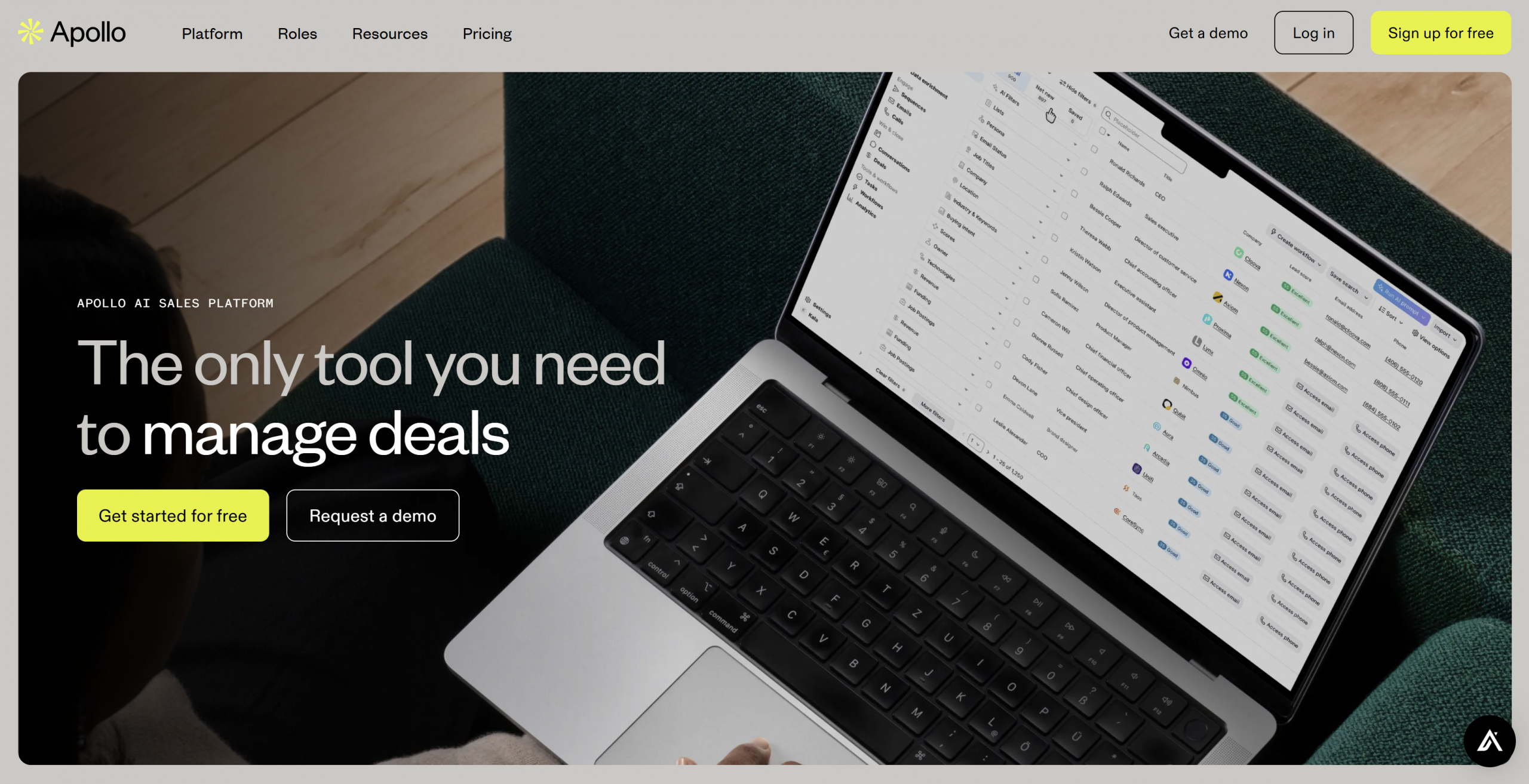 Apollo.io provides a large B2B contact database with advanced filters for industry, seniority, and company size. It syncs bidirectionally with CRMs and tracks sequence performance across channels. You can filter for VP+ at 200–2,000-employee SaaS firms in North America to mirror your ICP, then push those records directly into automated sequences.
Integration with LinkedIn Sales Navigator speeds up list building within LinkedIn’s permitted workflows. Respect LinkedIn’s terms and daily action limits when using Sales Navigator integrations.
How it helps with lead generation
- Extensive bidirectional data syncing with CRM to keep records current.
- Advanced filtering by industry, revenue, role, and location with granular controls (industry, HQ location, employee bands) to refine ICP lists.
- LinkedIn Sales Navigator integration for faster prospecting within permitted use.
- Automated multi-channel outreach (email, LinkedIn, calls) with reply-rate analytics.
Best when: You need an all-in-one platform for list building, outreach, and performance tracking tied to CRM. Watch out for: Data freshness varies by contact; verify high-priority leads before launching sequences.
Clay
Pricing (as of June 2026): Free version available; paid plans from $149/month.
G2 rating (as of June 2026): 4.9/5 on G2.
Best for: Enriching existing lead data from multiple sources and generating AI-personalized outreach at scale.  Clay is a data enrichment platform that pulls detailed information from 50+ sources, including LinkedIn, HubSpot, and third-party databases. Its AI features generate personalized email copy based on enriched fields like job changes, recent funding, or tech stack. Clay works best when you already have a lead list and need to enrich it before outreach. You can route qualified, enriched leads to your CRM automatically.
How it helps with lead generation
- Enriches existing lead data with job title, company revenue, tech stack, and funding signals.
- Generates AI-powered outreach emails tailored to enriched data points.
- Integrates with CRM systems to push enriched, qualified leads automatically.
Best when: You have partial lead data (names, companies) and need to layer on emails, job changes, and personalization signals before outreach. Watch out for: Enrichment credits add up fast; set enrichment rules carefully to avoid wasting budget on low-fit records.
Lemlist
Pricing (as of June 2026): Free trial available; paid plans from $39/month per user.
G2 rating (as of June 2026): 4.5/5 on G2.
Best for: Personalized cold email campaigns with dynamic variables, video, and sender reputation management. 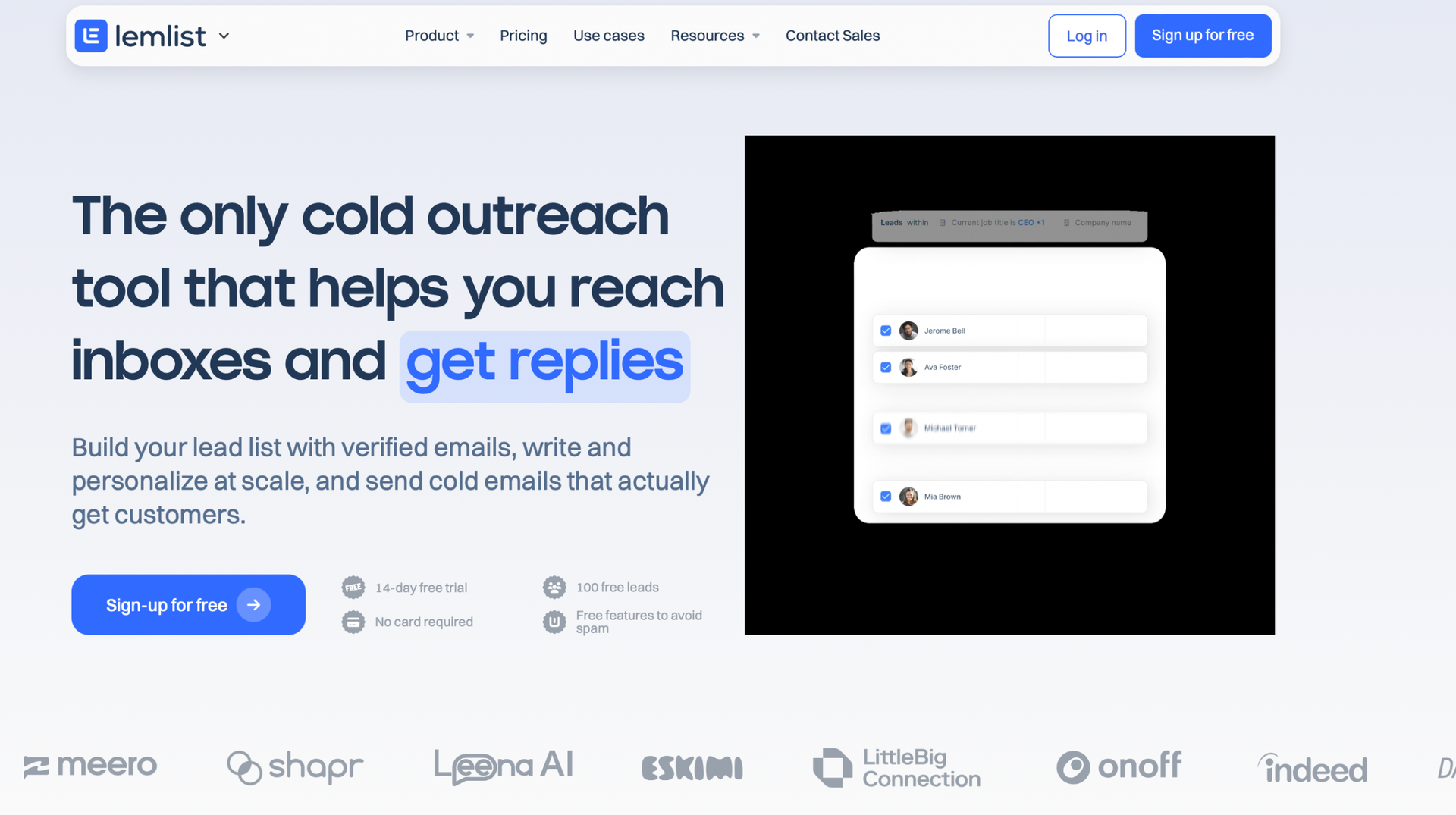 Lemlist enables highly personalized cold emails with custom variables (name, company, job title), embedded images, and video. AI-assisted sequences speed up personalization by suggesting icebreakers and follow-up copy. The inbox warm-up feature gradually increases sending volume and adds positive engagement signals to improve sender reputation. Use this for new domains and follow mailbox provider guidelines to avoid deliverability issues.
Lemlist integrates with PhantomBuster so you can extract LinkedIn profiles → enrich contacts with emails → push to Lemlist for personalized sequences automatically.
How it helps with lead generation
- Personalized outreach with custom variables, images, and video embeds.
- AI-generated sequences and icebreakers to reduce writing time.
- Inbox warm-up to protect sender reputation on new domains.
- Integration with PhantomBuster for LinkedIn → email workflow automation.
Best when: You need to personalize cold email at scale and protect deliverability for new sending domains.
Watch out for: Warm-up takes weeks; plan domain prep before launching cold campaigns.
Dropcontact
Pricing (as of June 2026): Free trial available; annual plans from €24/month.
G2 rating (as of June 2026): 4.7/5 on G2.
Best for: Automating email finding and CRM data enrichment with GDPR-friendly workflows. Dropcontact enriches and verifies B2B contact data. It supports GDPR-friendly workflows by processing data without storing personal information in static databases and by validating emails before you send. I
t integrates with CRMs like HubSpot, Pipedrive, and Salesforce, automating email discovery, enrichment (job titles, company details, LinkedIn profiles), and duplicate merging. Dropcontact also integrates with PhantomBuster to enhance your email-finding process and enrich lead lists without manual lookups.
How it helps with lead generation
- Email finding and verification without storing personal data.
- Data enrichment (job titles, company details, LinkedIn profiles) to complete CRM records.
- CRM integration for automatic updates and duplicate detection.
- GDPR-friendly workflows for EU-based teams.
Best when: You operate in the EU and need email enrichment that respects GDPR constraints.
Watch out for: Email verification adds latency; batch-process leads before campaigns to avoid delays.
LinkedIn Sales Navigator
Pricing (as of June 2026): 30-day free trial; paid plans from $99/month.
G2 rating (as of June 2026): 4.3/5 on G2.
Best for: Targeting and engaging leads on LinkedIn using advanced filters, intent signals, and InMail. LinkedIn Sales Navigator lets you generate leads using LinkedIn’s network and advanced search filters. You can find decision-makers based on job title, industry, seniority, company size, and location. Sales Navigator surfaces alerts on job changes and post engagement so you can time outreach when interest is highest.
Features like InMail let you contact prospects outside your network without a connection request. Integration with CRMs speeds up list building within LinkedIn’s permitted workflows. Respect LinkedIn’s terms and daily action limits to protect account safety.
How it helps with lead generation
- Advanced search filters to find qualified leads by seniority, function, geography, and company signals.
- Personalized lead recommendations based on your saved searches and CRM data.
- InMail for direct communication with prospects outside your network.
- CRM integration to sync leads and track activity.
- Alerts on job changes and post engagement to time outreach when interest peaks.
Best when: Your ICP is active on LinkedIn and you need to layer intent signals (job changes, engagement) into your targeting. Watch out for: InMail credits are limited; reserve them for high-value accounts rather than mass outreach.
Dripify
Pricing (as of June 2026): 7-day free trial; paid plans from $39/month.
G2 rating (as of June 2026): 4.5/5 on G2.
Best for: Automating LinkedIn outreach campaigns with smart conditions and centralized inbox management. Dripify automates LinkedIn connection requests and follow-up sequences. It includes advanced search filters, in-built analytics, and a centralized inbox for managing LinkedIn conversations.
Dripify adapts sending volume to stay within LinkedIn’s evolving safety limits. Prioritize personalized messages over volume to protect account safety. This tool is LinkedIn-only, making it best for teams focused exclusively on LinkedIn outreach.
How it helps with lead generation
- Advanced LinkedIn search filters to build precise prospect lists.
- Automated LinkedIn outreach campaigns with conditional logic and delays.
- In-built inbox for centralized LinkedIn message management.
- A/B testing for subject lines and message variants to improve acceptance rates.
Best when: LinkedIn is your primary channel and you need to run sequences without switching between tools.
Watch out for: LinkedIn-only; if you need multi-channel outreach, pair with an email tool.
Expandi
Pricing (as of June 2026): 7-day free trial; paid plans from $99/month.
G2 rating (as of June 2026): 4.1/5 on G2.
Best for: LinkedIn outreach automation with multi-account management and pre-built campaign templates. Expandi is a LinkedIn-specific automation platform built for teams managing multiple LinkedIn accounts at scale. It offers pre-built campaign types like Connector, Open InMail, and Group Campaigns. Connector campaigns require a tight ICP to avoid low accept rates.
Open InMail costs LinkedIn credits—reserve it for high-value accounts rather than volume plays. The platform uses rate-limiting and randomization to mimic natural activity and reduce account risk. Prioritize personalization over volume to stay within LinkedIn’s safety thresholds.
How it helps with lead generation
- LinkedIn outreach automation with conditional sequences and personalization tokens.
- Multi-account management for teams running campaigns across several profiles.
- Pre-built campaigns (Connector, Open InMail, Group Campaigns) to speed deployment.
- Rate-limiting and randomization to protect account safety.
Best when: You manage LinkedIn outreach for multiple reps or accounts and need centralized campaign control.
Watch out for: LinkedIn platform risk still applies; monitor acceptance and reply rates to catch deliverability issues early.
ChatGPT
Pricing (as of June 2026): Free plan available; premium plans from $20/month.
G2 rating (as of June 2026): 4.7/5 on G2.
Best for: Building ICP personas, designing lead-scoring rubrics, and drafting personalized outreach copy.  ChatGPT supports lead-generation teams by crafting tailored outreach messages, refining tone, and helping you design scoring models. It’s useful for refining your approach to potential leads and ensuring messaging resonates with your target audience.
ChatGPT does not replace operational lead-scoring engines or data enrichment tools. Use it to design frameworks, then implement scoring in your CRM or marketing automation platform.
How it helps with lead generation
- Persona building and audience analysis to sharpen ICP definitions.
- Design a lead-scoring rubric and test scenarios; implement final scoring in your CRM.
- Refine and normalize fields from your existing lead data (you provide the inputs); do not use it to fetch personal data externally.
- Drafting outreach content and testing message variants.
- Tone assessment to match messaging to audience expectations.
Best when: You need to prototype messaging, score designs, or persona definitions quickly without coding.
Watch out for: ChatGPT is not a data source; it cannot enrich leads or fetch contact details. Use it for strategy and copy, not data.
Gong
Pricing (as of June 2026): Contact sales.
G2 rating (as of June 2026): 4.7/5 on G2.
Best for: Sales teams that need to analyze calls, coach reps, and forecast pipeline health using conversation intelligence. Gong analyzes sales calls and meetings to surface deal insights and coaching opportunities that improve win rates and pipeline quality. It transcribes calls, scores them against best practices, and flags deals with missing next steps or risk signals. It integrates with your CRM to deliver actionable insights and help teams refine their sales strategies based on conversation data.
How it helps with lead generation
- AI-powered call transcription and analysis to surface objections, questions, and deal risks.
- Sales performance tracking across reps, teams, and deal stages.
- CRM integration with actionable insights pushed directly to deal records.
- Forecasting based on conversation signals and pipeline health.
- Coaching recommendations based on call breakdowns and best-practice benchmarks.
Best when: You run a mid-market or enterprise sales team and need coaching and deal intelligence at scale.
Watch out for: Gong is conversation intelligence, not lead generation; pair it with outbound tools to fill pipeline.
Lavender
Pricing (as of June 2026): Free basic plan available; paid plans from $27/month.
G2 rating (as of June 2026): 4.8/5 on G2.
Best for: Email campaigns that need real-time AI scoring and editing to raise reply rates Lavender scores subject lines and body copy in real time and suggests edits that raise reply probability. It pulls CRM context into email drafts so personalization is accurate and relevant.
Lavender works as a browser extension, integrating AI directly into Gmail, Outlook, and Salesforce. You can score emails before sending and adjust tone, length, or personalization based on real-time feedback.
How it helps with lead generation
- Email score and optimization with real-time feedback on subject lines, length, and tone.
- Personalized email content pulled from CRM data.
- AI-driven email creation with built-in ChatGPT integration.
- CRM data utilization to ensure outreach aligns with lead context.
Best when: Your team sends cold emails and needs consistent, data-backed feedback to improve reply rates.
Watch out for: Lavender scores emails; it doesn’t replace your sequencing tool. Pair it with Lemlist or Apollo for automation.
Amplemarket
Pricing (as of June 2026): 7-day free trial; paid plans from $99/month.
G2 rating (as of June 2026): 4.6/5 on G2.
Best for: Multi-channel outreach automation (email, LinkedIn, calls) with AI-driven lead scoring and follow-ups. Amplemarket combines prospecting, scoring, and outbound automation into one platform.
It scores leads using behavioral and firmographic signals, runs automated sequences across email, LinkedIn, and phone, and triggers follow-ups based on engagement. This works best when you need an integrated platform for outbound motions across multiple channels without stitching together separate tools.
How it helps with lead generation
- AI-driven lead scoring based on engagement, fit, and intent signals.
- Multi-channel outreach (email, LinkedIn, calls) managed from one interface.
- CRM integration to sync leads, activity, and scoring data.
- Automated follow-ups triggered by engagement thresholds.
Best when: You run coordinated outbound across email, LinkedIn, and calls and want unified analytics.
Watch out for: Multi-channel complexity increases setup time; plan workflows carefully before launching.
Chorus by Zoominfo
Pricing (as of June 2026): Contact sales.
G2 rating (as of June 2026): Not publicly available.
Best for: Coaching at scale across mid-market teams using call scorecards and deal warnings. Chorus records sales calls, scores them against benchmarks, and flags deals with missing next steps or weak discovery.
It integrates with Salesforce and other CRMs to push conversation insights directly to deal records. Use Chorus when you need to coach reps based on call breakdowns and track adherence to methodology across a growing team.
How it helps with lead generation
- Call recording and transcription with keyword and topic tracking.
- Conversation analytics to identify objections, questions, and competitor mentions.
- Performance tracking and scorecards tied to call outcomes.
- Sales coaching insights and deal warnings based on missing next steps.
Best when: You manage a mid-market sales team and need call intelligence tied to CRM data for forecasting.
Watch out for: Like Gong, Chorus is conversation intelligence, not prospecting; pair it with outbound tools.
Taplio
Pricing (as of June 2026): Free trial available; paid plans from $39/month.
G2 rating (as of June 2026): Not publicly available.
Best for: LinkedIn content creation, scheduling, and lead list building from engaged audiences. Taplio generates LinkedIn posts with AI, schedules publishing, and exports engaged commenters to build lead lists.
You can find high-performing LinkedIn posts in your niche to inform content topics and identify active buyers. This works well when you use LinkedIn content to build awareness and want to capture engaged prospects for outreach.
How it helps with lead generation
- AI-powered LinkedIn content creation and scheduling.
- Find high-performing posts in your niche to guide topic strategy.
- Export engaged users (commenters, likers) to build prospect lists.
- CRM integration for pushing engaged contacts to your pipeline.
Best when: You publish LinkedIn content regularly and want to convert engaged readers into outreach targets.
Watch out for: Content performance varies by niche; test topics and formats before scaling.
Loom
Pricing (as of June 2026): Free plan available; paid plans from $10/month.
G2 rating (as of June 2026): Not publicly available.
Best for: Personalized video outreach embedded in emails and landing pages. Loom records screen and webcam video for personalized demos, walkthroughs, and follow-ups. You can track who watched, for how long, and which sections they replayed.
Use Loom to stand out in cold outreach or follow up after discovery calls with tailored product walkthroughs.
How it helps with lead generation
- Screen and webcam recording for personalized video messages.
- Video editing and trimming to keep messages concise.
- Viewer insights (watch time, rewatch signals) to gauge interest.
- Custom branding for professional presentation.
Best when: You sell to visual buyers or need to explain complex products in outreach.
Watch out for: Video adds friction; test it on warm leads before using it in top-of-funnel cold outreach.
MeetGeek
Pricing (as of June 2026): Free plan available; paid plans from $19/month.
G2 rating (as of June 2026): Not publicly available.
Best for: Auto-generated meeting summaries and CRM sync for deal context. MeetGeek auto-generates meeting summaries and action items you can push to your CRM. It shares key clips with stakeholders and integrates with tools like HubSpot and Salesforce.
Use MeetGeek to keep deal context fresh without manual note-taking and to surface action items that drive next steps.
How it helps with lead generation
- Auto-generated meeting summaries and action items.
- Integration with CRM tools to sync notes and next steps.
- Shareable meeting clips for internal alignment.
- Deal insights based on meeting frequency and engagement.
Best when: You run high meeting volume and need automated notes to keep CRM data current.
Watch out for: Automated summaries miss nuance; review notes before pushing critical deal updates.
Trumpet
Pricing (as of June 2026): Free trial available; paid plans from £36/month. G2 rating (as of June 2026): Not publicly available. Best for: Personalized buyer spaces (“Pods”) that centralize assets, messaging, and deal progress. Trumpet creates personalized buyer spaces—called “Pods”—that centralize proposals, demos, contracts, and e-signatures. You get alerts when buyers view your pod, download content, or comment. Use these signals as reply and meeting triggers. This works best for complex B2B sales with multiple stakeholders who need access to shared resources.
How it helps with lead generation
- Personalized buyer spaces (“Pods”) that centralize assets, messaging, and mutual next steps.
- CRM integration to track Pod engagement and sync to deal records.
- Alerts when buyers view content, download assets, or leave comments—use as outreach triggers.
- Screen recording and e-signature tools to close deals faster.
Best when: You sell to buying committees and need a shared space to coordinate stakeholders. Watch out for: Pods require setup; don’t deploy them until you’ve qualified the account.
HubSpot Sales Hub
Pricing (as of June 2026): Free plan available; paid plans from $15/month per user.
G2 rating (as of June 2026): Not publicly available.
Best for: Small to mid-market teams that need lead capture, pipeline tracking, and CRM in one platform. HubSpot Sales Hub combines lead capture forms, website visitor tracking (respect consent and process only business data under your privacy policy), and customizable sales pipelines.
You can score leads and automate task creation and email follow-ups. HubSpot integrates with marketing tools and connects to PhantomBuster for automated list sync.
How it helps with lead generation
- Lead capture forms and custom landing pages to convert website traffic.
- Website visitor tracking to identify engaged accounts.
- Lead scoring (calibrate monthly with sales feedback to avoid false positives).
- Customizable sales pipelines with automated task and email triggers.
- Integration with marketing tools and CRM for unified reporting.
Best when: You want an affordable, integrated CRM with native lead capture and scoring.
Watch out for: Free and starter tiers limit automation; plan for paid tiers as you scale.
HubSpot Marketing Hub
Pricing (as of June 2026): Free plan available; paid plans from $890/month.
G2 rating (as of June 2026): Not publicly available.
Best for: Marketing teams that need landing pages, email automation, and lead scoring tied to CRM. HubSpot Marketing Hub includes landing page builders, lead capture forms, email marketing automation, and lead scoring.
You can track visitor behavior to prioritize hot accounts and nurture leads via automated sequences. Lead scoring should be calibrated monthly with sales feedback to avoid false positives.
How it helps with lead generation
- Lead capture forms and landing page builders for inbound campaigns.
- Website visitor tracking to identify engaged accounts (respect consent and privacy policies).
- Lead scoring (calibrate monthly with sales feedback).
- Email marketing automation with behavioral triggers and A/B testing.
Best when: You run inbound campaigns and need marketing automation tied to CRM for closed-loop reporting.
Watch out for: Pricing scales quickly with contact volume; forecast costs before migrating large databases.
Salesforce
Pricing (as of June 2026): Free trial available; paid plans from $25/month per user.
G2 rating (as of June 2026): Not publicly available.
Best for: Enterprise teams that need customizable objects, automation (Flows), and extensive third-party integrations. Salesforce offers customizable objects and automation (Flows) for complex B2B motions.
Built-in AI (Einstein) provides lead scoring, forecasting, and predictive insights. It integrates with thousands of third-party tools for marketing, sales, and support. Use Salesforce when your sales process requires custom fields, multi-stage approvals, or complex reporting.
How it helps with lead generation
- Customizable objects and automation (Flows) for complex B2B workflows.
- Customizable dashboards and reporting for pipeline visibility.
- Built-in AI (Einstein) for lead scoring, forecasting, and predictive insights.
- Extensive third-party integrations (marketing, sales, support).
Best when: You need enterprise-grade customization, governance, and integrations.
Watch out for: Implementation and admin costs are high; budget for a Salesforce admin or consultant.
Zendesk Sell
Pricing (as of June 2026): Free trial available; paid plans from $25/month per user.
G2 rating (as of June 2026): Not publicly available.
Best for: Teams that need CRM, email sequences, and SMS campaigns in one platform. Zendesk Sell combines customizable pipelines, automated email sequences, bulk email and SMS campaigns, and lead scoring.
It integrates with Zendesk Support for unified customer context. Use Zendesk Sell when you need CRM and support ticketing in the same ecosystem.
How it helps with lead generation
- Customizable sales pipelines with drag-and-drop stage management.
- Automated email sequences and follow-ups based on stage changes.
- Bulk email and SMS campaigns to engage leads at scale.
- Lead scoring and prioritization based on engagement and fit.
Best when: You use Zendesk Support and want unified lead and customer data.
Watch out for: Email deliverability depends on sender reputation; warm up domains before bulk sending.
Nimble
Pricing (as of June 2026): Free trial available; paid plans from $29/month per user.
G2 rating (as of June 2026): Not publicly available.
Best for: Small teams that need social CRM with automated contact enrichment from LinkedIn and Twitter. Nimble pulls contact data from social profiles automatically, segments leads by tags and behavior, and automates follow-up reminders.
It integrates with Gmail, Outlook, and social platforms. Use Nimble when you want lightweight CRM with social enrichment baked in.
How it helps with lead generation
- Social media integration to pull contact data from LinkedIn, Twitter, and Facebook.
- Automated follow-up reminders based on last interaction.
- Lead segmentation and tagging for targeted outreach.
- Unified contact management across email and social channels.
Best when: You’re a small team that sells via social channels and needs simple CRM enrichment.
Watch out for: Social enrichment depends on public profile data; it won’t replace dedicated enrichment tools.
Pipedrive
Pricing (as of June 2026): Free trial available; paid plans from $24/month per user.
G2 rating (as of June 2026): Not publicly available.
Best for: Visual pipeline management and customizable web forms for lead capture. Pipedrive offers visual sales funnels, customizable web forms for lead capture, automated email and task scheduling, and activity reminders. It’s designed for teams that want simple, visual pipeline tracking.
Use Pipedrive when you need an intuitive CRM focused on deal flow and activity tracking.
How it helps with lead generation
- Pipeline management with visual sales funnels and drag-and-drop stages.
- Lead capturing through customizable web forms.
- Automated email and task scheduling based on deal stage.
- Lead tracking with activity reminders to prevent follow-up gaps.
Best when: You want a visual, activity-focused CRM without heavy customization.
Watch out for: Limited marketing automation; pair with an email tool for nurture campaigns.
Unbounce
Pricing (as of June 2026): Free trial available; paid plans from $99/month.
G2 rating (as of June 2026): Not publicly available.
Best for: High-converting landing pages with A/B testing and dynamic content for paid traffic. Unbounce provides landing page templates, A/B testing for hero copy and CTAs, and dynamic text replacement to personalize content by traffic source.
It integrates with marketing and CRM tools for lead routing. Use Unbounce when you run paid campaigns and need to test landing page variants to improve conversion.
How it helps with lead generation
- High-converting landing page templates optimized for lead capture.
- A/B testing for hero copy, CTAs, and form designs.
- Dynamic text replacement to personalize content by ad source or keyword.
- Integration with marketing and CRM tools for automated lead routing.
Best when: You run paid ads and need to test landing page variants to maximize ROI.
Watch out for: Unbounce is landing-page-only; you still need a CRM and email tool for nurture.
Leadpages
Pricing (as of June 2026): Free trial available; paid plans from $49/month.
G2 rating (as of June 2026): Not publicly available.
Best for: Affordable landing pages with built-in forms and CRM sync. Leadpages offers customizable landing page templates, built-in lead capture forms, and A/B testing. Test hero copy and form length to improve visitor-to-lead conversion on paid traffic.
It integrates with popular marketing tools and CRM systems. Use Leadpages when you need affordable landing pages without heavy customization.
How it helps with lead generation
- Customizable landing page templates with built-in lead capture forms.
- Test form length and copy to improve visitor-to-lead conversion on paid traffic.
- Integration with marketing tools (email, ads) and CRM systems.
Best when: You need simple, affordable landing pages for lead capture without advanced testing.
Watch out for: Limited design flexibility compared to Unbounce; evaluate templates before committing.
LeadsBridge
Pricing (as of June 2026): Free trial available; paid plans from $29/month.
G2 rating (as of June 2026): Not publicly available.
Best for: Real-time lead sync from ad platforms to CRM with closed-loop attribution. LeadsBridge syncs leads from Facebook, Google, LinkedIn, and TikTok ads to CRM in real time. You can track leads from ad platforms to CRM and match closed revenue back to campaigns.
It also builds custom audiences for retargeting. Use LeadsBridge when you run paid ads and need automated lead routing and attribution.
How it helps with lead generation
- Real-time lead sync from ad platforms (Facebook, Google, LinkedIn) to CRM.
- Customizable audience targeting and retargeting based on CRM data.
- Track leads from campaigns to closed revenue for ROI measurement.
- Integration with major CRM and ad platforms.
Best when: You run multi-platform paid ads and need real-time CRM sync and attribution.
Watch out for: Syncing depends on API stability; monitor for missed leads during platform updates.
OptinMonster
Pricing (as of June 2026): Free trial available; paid plans from $59/year (billed annually).
G2 rating (as of June 2026): Not publicly available.
Best for: On-site pop-ups and forms with behavioral targeting and A/B testing. OptinMonster offers a drag-and-drop form builder, behavioral targeting (exit intent, scroll depth, time on page), and A/B testing to raise capture rates.
It integrates with major email marketing services. Use OptinMonster to convert website visitors into leads using pop-ups, slide-ins, and inline forms.
How it helps with lead generation
- Drag-and-drop form builder for pop-ups, slide-ins, and inline forms.
- Advanced targeting by behavior, traffic source, and page.
- A/B test form designs and copy to raise capture rates.
- Integration with email marketing services for automated nurture.
Best when: You have website traffic and need to capture more leads with targeted, tested forms.
Watch out for: Aggressive pop-ups hurt user experience; test frequency caps and exit-intent triggers.
ActiveCampaign
Pricing (as of June 2026): Free trial available; paid plans from $15/month.
G2 rating (as of June 2026): Not publicly available.
Best for: Email automation with lead scoring and behavioral triggers. ActiveCampaign automates email sequences based on lead behavior, scores leads to trigger sales alerts, and A/B tests subject lines and CTAs to raise demo bookings.
Measure replies and meetings booked, not just opens. Use ActiveCampaign when you need advanced email automation with CRM-style lead scoring.
How it helps with lead generation
- Dynamic content based on lead data and behavior.
- Automated email sequences triggered by page visits, form fills, and engagement.
- Lead scoring (calibrate monthly with sales feedback to avoid false positives).
- A/B test subject lines and CTAs to raise demo bookings; track meetings, not just opens.
Best when: You want email automation with built-in lead scoring and CRM-lite functionality.
Watch out for: Complexity grows fast; map workflows carefully before adding conditional logic.
Salesforce Marketing Cloud Account Engagement (formerly Pardot)
Pricing (as of June 2026): Free trial not available; paid plans from $1,250/month.
G2 rating (as of June 2026): Not publicly available.
Best for: Enterprise marketing automation with AI-powered scoring and Salesforce CRM integration. Salesforce Marketing Cloud Account Engagement (formerly Pardot) automates lead nurturing with multi-touch email campaigns, scores leads using AI and behavioral signals, and builds custom landing pages that sync to Salesforce. Use it when you run complex, multi-touch nurture campaigns and need native Salesforce integration.
How it helps with lead generation
- Automated lead nurturing with multi-touch email campaigns.
- AI-powered lead scoring based on engagement, fit, and intent.
- Custom landing pages and forms that sync to Salesforce CRM.
- CRM integration for closed-loop reporting and attribution.
Best when: You use Salesforce CRM and need enterprise-grade marketing automation.
Watch out for: High cost and complexity; plan for marketing ops support and Salesforce admin help.
Adobe Marketo Engage (formerly Marketo)
Pricing (as of June 2026): Free trial available; paid plans from $1,500/month.
G2 rating (as of June 2026): Not publicly available.
Best for: Enterprise marketing teams running cross-channel campaigns with multi-touch attribution. Adobe Marketo Engage runs cross-channel campaigns (email, web, events), scores leads with AI-driven models, and tracks multi-touch attribution to measure ROI.
It’s designed for large marketing teams with complex buyer journeys. Use Marketo when you need sophisticated attribution, account-based marketing, and multi-channel orchestration.
How it helps with lead generation
- Cross-channel lead engagement (email, web, events, ads).
- AI-driven lead scoring based on engagement and firmographic fit.
- Personalized marketing campaigns with dynamic content and A/B testing.
- Multi-touch attribution tracking to measure campaign ROI.
Best when: You run enterprise-scale, multi-channel campaigns and need attribution tied to revenue.
Watch out for: Expensive and complex; requires dedicated marketing ops and technical resources.
Conclusion
The best B2B lead generation tool depends on your motion, channel, and CRM readiness. Inbound tools work when you need to capture and nurture interest you don’t control. Outbound tools work when you know your ICP and need to contact accounts directly.
Start by clarifying your ICP, choosing the channel where your buyers are most active, and confirming your CRM can handle the data sync. Most teams get better results by mastering one or two tools than by stitching together five poorly integrated platforms.
If you need to extract leads from LinkedIn or X, enrich emails, and sync to your CRM automatically, start your free PhantomBuster trial and build your first workflow in minutes.
Frequently asked questions
What is the difference between inbound and outbound lead generation tools?
Inbound tools capture interest you don’t control—forms, landing pages, website tracking, and email nurture. Outbound tools let you create intent by contacting target accounts directly using data enrichment, scoring, and automated outreach. Choose inbound when buyers search for solutions; choose outbound when you need to reach decision-makers who don’t signal intent.
Can I use PhantomBuster with my CRM?
Yes. PhantomBuster integrates with HubSpot, Salesforce, and other CRMs via native connectors and webhooks. You can extract leads from LinkedIn or Sales Navigator, enrich emails, and push enriched lists to your CRM automatically. Check field mapping and deduplication rules before syncing to avoid duplicate records.
How do I choose the right lead generation tool for my team?
Start with three questions: Do you know your ICP? Which channel are your buyers most active on? Can your CRM handle the data sync? If you have a clear ICP and buyers are on LinkedIn, start with outbound tools like PhantomBuster, Apollo, or Sales Navigator. If you’re testing messaging or product-market fit, start with inbound tools like landing pages and email automation.
Are LinkedIn automation tools safe to use?
LinkedIn automation tools carry platform risk. LinkedIn’s terms prohibit automation, and accounts can be restricted if you exceed daily action limits or send low-quality connection requests. To reduce risk: keep daily actions within safe thresholds (30–50 connection requests per day), personalize every message, and prioritize relevance over volume. Tools like PhantomBuster, Dripify, and Expandi use rate-limiting to mimic natural activity, but no tool eliminates risk entirely.
What is lead enrichment and why does it matter?
Lead enrichment adds missing data—like emails, job titles, company revenue, and tech stack—to incomplete contact records. It matters because outreach to enriched leads is more targeted, personalized, and likely to convert. Tools like PhantomBuster, Clay, and Dropcontact enrich leads by pulling data from LinkedIn, databases, and validation APIs. Enrichment reduces bounce rates and improves reply rates.
How much should I budget for B2B lead generation tools?
Budget depends on your motion and team size. Outbound-focused teams typically spend $200–$500/month per rep (LinkedIn automation, enrichment, email sequencing, CRM). Inbound-focused teams spend $500–$2,000/month on landing pages, email automation, and marketing automation platforms. Enterprise tools like Marketo and Pardot start at $1,250–$1,500/month. Start with one or two core tools and add integrations as you scale.
Can ChatGPT replace my lead scoring tool?
No. ChatGPT can help you design a lead-scoring rubric and test scenarios, but it’s not an operational scoring engine. Implement your final scoring model in your CRM or marketing automation platform (HubSpot, Salesforce, ActiveCampaign) so scores update automatically based on lead behavior. Use ChatGPT for strategy and copy, not for live data processing.
What metrics should I track when using lead generation tools?
Track these metrics by motion. For outbound: connection acceptance rate, reply rate, meetings booked, and pipeline created. For inbound: form conversion rate, landing page conversion rate, email open and click rates, and MQL-to-SQL conversion. For both: lead-to-opportunity rate, cost per lead, and cost per opportunity. Avoid vanity metrics like total leads; focus on qualified pipeline and closed revenue. Start your free trial