
Job changes are the most underrated buying signal in B2B sales. Every day, decision-makers leave companies, take on new roles, and rebuild their tech stacks from scratch. When they move to new roles, they get new budgets, fresh priorities, and an open mind for better tools.
Most sales teams notice job changes after weeks or months. The real opportunity disappears within days. By then, someone else has already started the conversation, and those high-intent leads are gone.
This guide shows you exactly how to track job changes using LinkedIn Sales Navigator and automate your outreach with PhantomBuster. You’ll learn how to identify these high-intent leads, personalize outreach at scale, and accelerate your sales pipeline without manual effort.
Why job change data drives revenue growth
Think about the last time one of your contacts started a new role. In those first few months, they’re reassessing tools, fixing gaps, and hunting for quick wins.
Here’s why tracking job changes should be a top priority for sales teams:
- Spot warm opportunities early: When key contacts move to new companies, they often re-evaluate tools and vendors. Recognizing these moves lets your team re-engage warm relationships before competitors even notice.
- Build on existing trust: Former customers who switch companies become instant warm leads. They already understand your product’s value, which makes it easier and more natural to start a new conversation.
- Tap into fresh buying cycles: New decision makers aren’t tied to legacy vendors. They’re building their tech stacks from scratch and are open to exploring new solutions to deliver quick wins.
- Accelerate deal velocity: Leaders in their first 90 days move fast. They’re under pressure to show early results, which means shorter evaluations, faster decisions, and compressed sales cycles.
- Prioritize higher-intent leads: Job changes are one of the strongest intent signals in B2B sales. These contacts are actively researching and comparing options and are ready to engage with vendors who can help them succeed quickly.
- Focus sales energy where it matters: By identifying who moved and where, your team can prioritize high-potential accounts instead of cold outreach, turning prior relationships into new pipeline.
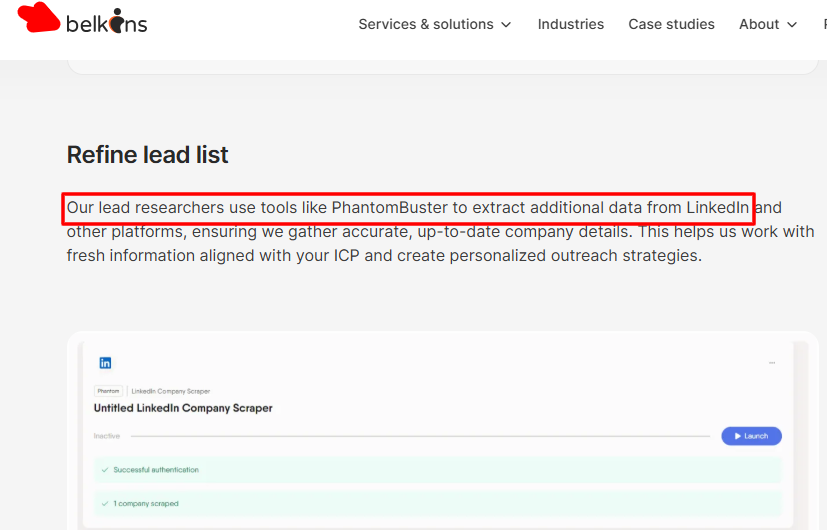
Belkins’ sales team combines LinkedIn Sales Navigator with PhantomBuster to identify recent job changes in their ICP and personalize outreach strategies.
4 steps to find and convert decision makers who just changed jobs
Step 1: Set up LinkedIn Sales Navigator for job change tracking
The foundation of tracking job changes is a well-configured LinkedIn Sales Navigator search. You’re combining your ideal customer profile criteria with job change data to identify key decision makers at the right moment.
Define your target accounts and decision-maker criteria
Start with filters that define your ideal customer profile:
- Job titles: Focus on director-level and C-level executives who make buying decisions. For sales automation tools, target VP of Sales, Sales Director, or Director of Revenue Operations.
- Seniority level: Select Director and CXO levels to find key stakeholders with budget authority.
- Company size and target accounts: Filter by company size (mid-market: 51-500 employees) or add specific companies to focus on key accounts.
- Geography: Add location filters to help your sales team focus on specific regions for easier meeting coordination.
Note💡: Sales Navigator also provides personalized lead and company recommendations based on your activity and preferences.
When you save a search, your chosen leads appear in your lead list, where you can add notes, message them directly, or connect. Before outreach, verify your leads using the next steps.
Add the job change filter for tracking job movements
Here’s the filter that turns a broad lead search into a job-change list:
Years in current company: Less than one year
This filter surfaces key contacts and decision makers who recently joined their current company. You’ll surface people in their first week, month, or year. Early tenure often means new tools are under review, so prioritize recent movers.
For most companies, the sweet spot is zero to six months when new hires are making the purchasing decisions that will define their success. Sales reps should prioritize these fresh contacts over established connections with existing customers.
Pro tip💡: Use the “Past company” filter to track when former customers or closed-lost opportunities switch jobs. These represent immediate sales opportunities because you already have existing relationships and can re-engage with context about their previous experience with your solution.
Save your continuous lead generation search
Once configured, save your search with a clear name, such as “Sales Directors | New Role | Mid-market.” LinkedIn Sales Navigator automatically updates saved searches, so new prospects who change companies appear in your results weekly.
This turns manual effort into automated job change tracking, keeping your sales pipeline up to date.
Step 2: Automate outreach with PhantomBuster
You’ve built a search that identifies key contacts who changed jobs. Now you need to reach them at scale. This is where PhantomBuster replaces manual steps with an always-on automation that finds movers and messages them for you.
Set up your automation for job-change outreach
PhantomBuster automations pull profiles from your Sales Navigator search, extract profile details, send connection requests, and follow with messages, end to end in one place:
- Open PhantomBuster, go to Sales Navigator solutions, and choose the “Connect with profiles from a Sales Navigator search” automation. It handles profile collection, connection, and follow-ups in one run.
- Connect your LinkedIn account. For CRM sync, connect your CRM (native integration, Zapier, or webhook) so new contacts and outcomes log automatically.
- Paste your saved search URL to target the right decision makers.
- Configure your connection request messageConfigure your connection request message. Keep it simple and relevant.
- Set up follow-up messages with strategic timing to personalize outreach without appearing robotic.
Example connection request:
Example connection request:
Hi {{firstName}}, happy to connect with sales leaders like yourself.
First follow-up (1 day after connection):
{{firstName}}, I have a question – are you currently using any automation tools for your sales outreach?
The 1-day delay prevents your messages from feeling automated. Sales teams using this approach see higher conversion rates because the timing feels natural, not like marketing automation spam.
Step 3: Personalize outreach using job change data
Generic LinkedIn messagesGeneric LinkedIn messages kill sales opportunities. Top-performing teams personalize every touchpoint using the context of career moves:
Reference their new role:
“As you’re ramping up at [Company], I’m curious about your approach to [relevant challenge]…”
Acknowledge the transition:
“Congratulations on the new position at [Company]. I know the first 90 days are critical for [Job Title] roles…”
Connect to their past when reaching out to former customers who switched jobs:
“{{firstName}}, I remember how much [specific feature] helped your team at [Past Company]. Would love to hear if similar challenges exist at [New Company]…”
This level of personalization transforms cold outreach into warm conversations. Sales and marketing teams that use this context see higher response rates than those who send generic sales emails.
Step 4: Monitor results and optimize your sales process
PhantomBuster’s dashboard centralizes invites, messages, and replies so you can spot bottlenecks and scale what works:
- Leads tab: Track invitation status, message sent confirmations, and replies. Filter by status to see where prospects drop off and identify which new leads need attention.
- Reports tab: Monitor aggregate metrics including connection acceptance rate, reply rate, and overall conversion rates. Use this data to refine your approach.
Key metrics for sales teams:
| Metric | Starting Benchmark | Purpose |
|---|---|---|
| Connection Acceptance Rate | 30–40% | Measures how well your connection requests resonate |
| Message Reply Rate | 10–20% | Gauges engagement with your first outreach |
| Reply-to-Meeting Conversion | 25–40% | Tracks how many replies turn into meetings |
If metrics fall below these benchmarks, test different messages or refine your ideal customer profile filters. Measure and adjust in Reports. Minor optimizations compound over time, filling your sales pipeline with qualified prospects who switched jobs and are ready for conversations.
The continuous advantage: Always-on job change tracking
Most sales reps track changes manually with Google Alerts or occasional LinkedIn checks, a time-consuming process that misses opportunities. With a PhantomBuster automation running continuously on your saved Sales Navigator search, you automatically:
- Find new decision makers who change companies each week
- Send personalized connection requests at scale
- Follow up with timed messages that build relationships
- Track all engagement in one dashboard
Month one (example): Reach 100 recent movers, connect with ~35, and book two meetings. Results vary by ICP and message quality.
Month three (example): Your network compounds as you reach hundreds of movers and turn replies into meetings.
By month six (example), you’ll have systematically reached key stakeholders across your target accounts as they evaluate solutions. The time investment stays the same, but revenue growth compounds as your warm lead network expands.
As Andreas Wernicke notes, GTM consultant and Clay New York host, detection without action is pointless. Route job-change data to your CRM, a Slack channel, and the right owner:
→CRM updates (new company, role, start date) →Dedicated Slack channels for notifications
→Routing to the right team member
Best practices for sustainable results
Follow these best practices when you reach out to new-role decision makers:
1. Respect LinkedIn limits: Use PhantomBuster’s safety delays and randomization, and cap daily invites to stay within your account’s safe range. LinkedIn’s limits evolve, so monitor compliance while keeping outreach efficient.
2. Segment your outreach: Create separate automations for each persona. A message that resonates with a VP of Sales at an enterprise won’t work for a Sales Director at a startup. Tailor both your ICP and messaging for each audience segment.
3. Prioritize relationships, not quick wins: Job change outreach isn’t just about instant conversions. It’s about connecting early in the buying journey. Some prospects will convert now, others will remember you later, or refer you to peers when the timing’s right.
4. Monitor career moves continuously: When key contacts at existing customers or past opportunities change jobs, they become warm prospects again. Set up dedicated automations to track these moves and re-engage with context, then sync outcomes to your CRM automatically.
Turn job change data into revenue growth
You now have the complete guide for reaching key decision makers who just changed jobs, the highest-intent prospects in B2B sales.
The recap:
- Use LinkedIn Sales Navigator to track job changes among your ideal customer profile
- Set up PhantomBuster automations to extract profile details, send connection requests, and schedule follow-up messages
- Personalize outreach using job change data and context from comprehensive profiles
- Monitor results and optimize based on conversion rates
Job change tracking shifts you from reactive to proactive, reaching decisionmakers as they start evaluating vendors.
These contacts will evaluate new solutions with or without you. The question is: will your team reach them first?
Ready to automate job change tracking? Use PhantomBuster’s “Connect with profiles from a Sales Navigator search” automation to start reaching key decision makers who switched jobs this week.
Frequently Asked Questions (FAQ)
What defines a qualified decision maker?
A qualified decision makerA qualified decision maker is someone who fits your ideal customer profile (ICP) and has either the authority to purchase or the influence to champion your solution to the final decision maker within their organization.
What’s the best way to personalize outreach to job changers?
Reference their new role, acknowledge their transition, and tie your solution to challenges typical of their first 90 days. For former customers, mention your previous relationship and ask if similar needs exist in their new environment. This context-driven personalization outperforms generic cold emails.
How many decision makers should I contact weekly?
Stay within LinkedIn’s safe limits. PhantomBuster automatically spaces them out to prevent restrictions. Focus on quality over volume: it’s better to contact 100 well-matched decision makers than 300 cold prospects.
Can job change tracking work for existing customers or closed-lost deals?
Yes. When key contacts at current customers change companies, they become warm leads at new organizations. Likewise, closed-lost prospects who move into new roles may now have the budget or authority to re-engage. Set up dedicated automations to track and reconnect with these high-value contacts.
How does job change tracking connect with my CRM?
PhantomBuster sends profile data (job title, company, and available contact details) to your CRM via native integration, Zapier, or webhook. From there, you can trigger automated re-engagement workflows that target contacts who’ve changed jobs, ensuring your pipeline always reflects up-to-date buyer data.
Why is job change tracking more effective than other lead generation methods?
Job change data signals high buying intent. New decision makers are actively evaluating solutions, not defending existing vendors. This shortens sales cycles and boosts conversions versus traditional cold outreach.