

Linked Helper is one of the oldest LinkedIn automation tools on the market, widely used for connection requests, follow-ups, profile visits, and multistep outreach workflows. For solo reps and small teams, it reduces manual LinkedIn tasks so you can run 50–100 targeted connection attempts per week without adding headcount.
In 2026, the conversation around LinkedIn automation is no longer just about features. Teams now prioritize account safety limits, approval steps before messages go out, message personalization quality, clean CRM sync rules, and the ability to run multiple rep accounts reliably.
Before you invest time migrating workflows or training your team around Linked Helper, consider whether it fits your outreach volume, budget, and team maturity—or whether there are better alternatives for how modern sales teams operate today.
Should you choose Linked Helper for LinkedIn automation? (TL;DR)
- Linked Helper automates LinkedIn connection requests, messaging, and profile visits. It handles LinkedIn engagement sequences well but lacks native large-scale data extraction and enrichment across channels.
- It works with basic and premium LinkedIn accounts, offers a message template editor with campaign sequences, and has pre-built campaign templates.
- Any automation on LinkedIn carries account risk. Safer operation means staying within human-like daily caps, adding delays, and stopping sequences on replies. Linked Helper provides controls, but your usage determines risk. Follow best practices to avoid account restrictions.
- It offers a visual campaign builder and exports data that you can sync to CRMs like HubSpot via CSV or connectors.
- Because it’s a desktop app, campaigns run only while your machine is on. Proxy and cookie setup adds steps that non-technical users may find time-consuming.
- Linked Helper pricing starts at $15/month for the Standard plan and $45/month for the Pro plan (as of May 2026).
- PhantomBuster is a strong alternative for cross-platform data extraction and outreach automation across channels. It automates LinkedIn engagement with pre-built LinkedIn automations and enables you to enrich lead lists before outreach. Pricing starts at $56/month (as of May 2026).
| PhantomBuster | Linked Helper | ||
| Main focus | Cross-platform data extraction and automated lead pipeline enrichment | LinkedIn engagement automation: messaging and connection requests | |
| Ideal for | Multi-channel lead extraction, enrichment, and CRM sync workflows | LinkedIn-only engagement sequences | |
| Pricing (as of May 2026) | Starts at $56/month | Starts at $15/month | |
| Data extraction scope | PhantomBuster extracts LinkedIn profiles, activity data, and cross-platform signals (Instagram, Twitter, Sales Navigator) via Flows; chains enrichment steps (email finding, company data) and syncs to CRM | Exports LinkedIn profile data to CSV during campaign setup | |
| Outreach safety | Easy to set up and use, very intuitive | PhantomBuster enforces daily action caps, randomized delays, and reply-detection stops to reduce account risk | Configurable delays and daily limits; requires manual tuning to stay within safe ranges |
| Operations | Cloud-based; runs on PhantomBuster’s infrastructure according to your schedules, even when your computer is off | Desktop application; campaigns pause when your computer sleeps or is shut down | |
| Safety and limits | Built-in limits to help keep your account safe | Safe if you set it up right, but can trigger LinkedIn’s spam alerts |
What does Linked Helper do?
Linked Helper automates connection requests, visits, endorsements, and follow-ups so reps spend less time on repetitive clicks. It runs multistep LinkedIn messaging campaigns and handles profile engagement at scale.
The platform is built for sales reps, recruiters, founders, and outbound teams that rely heavily on LinkedIn for prospecting.
If you need to extract 5k–20k contacts per month across multiple sources and enrich with emails, you’ll need additional tools or a cross-platform workflow. Linked Helper focuses on LinkedIn engagement, not large-scale data extraction and enrichment pipelines.
What are Linked Helper’s top features?
Here are the key features that define Linked Helper’s approach to LinkedIn automation.
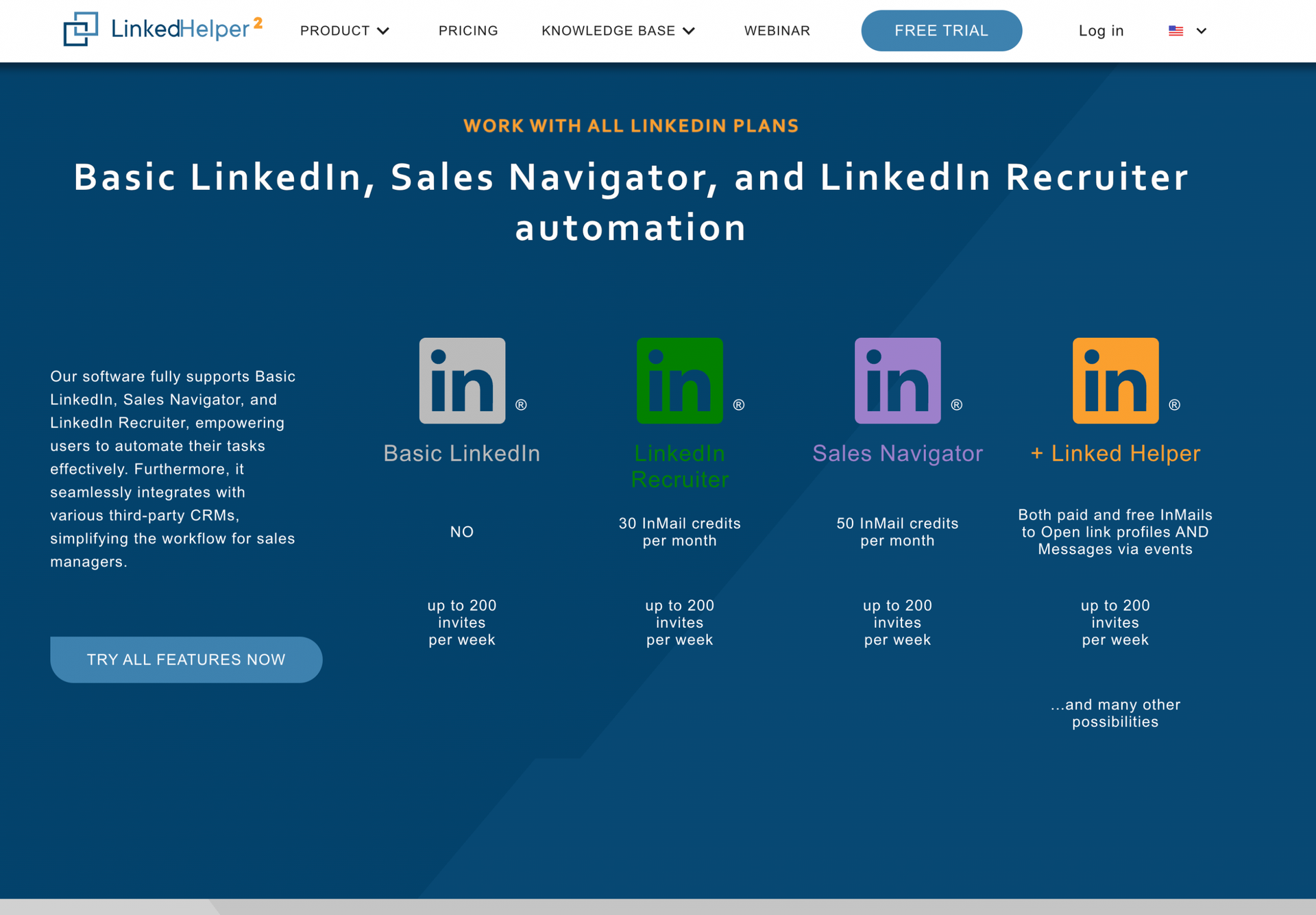
1. Works with all LinkedIn plans
Linked Helper works with all basic and premium LinkedIn accounts.
Free LinkedIn accounts cap monthly searches. If you reach the cap, pause until it resets or use a paid plan.
2. Smart message template editor with campaign sequences
Linked Helper lets you create and customize campaign sequences with its message template editor.
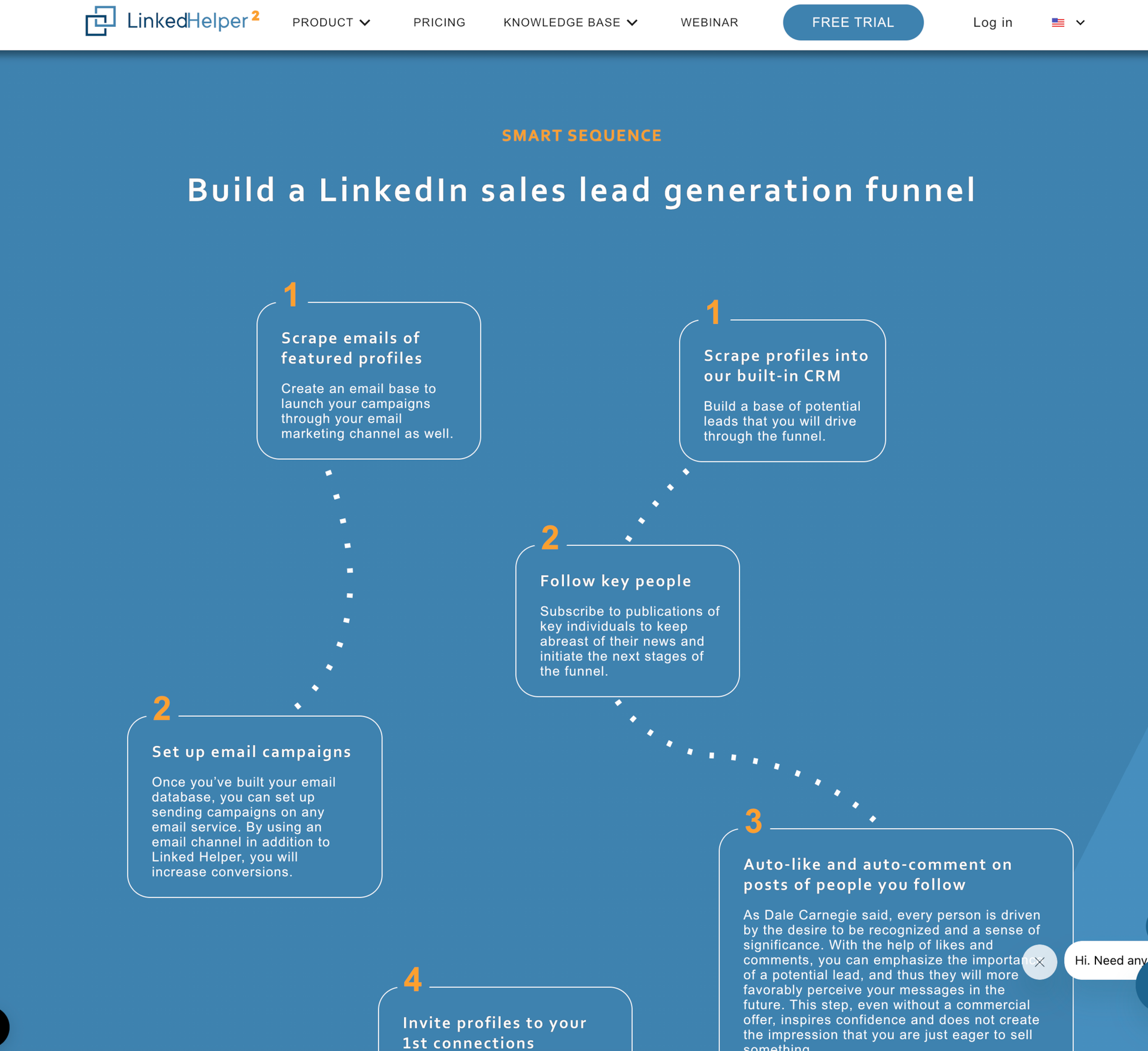
It structures LinkedIn outreach funnels from connection requests to follow-up messages.
Use variables (title, company) and conditional branches (reply/no reply) to send context-appropriate follow-ups.
3. Pre-built campaign templates
Linked Helper offers pre-built campaign templates to streamline setup. For example, you can warm 2nd-degree contacts before sending an invite, or send personalized messages to LinkedIn group members outside your 1st-degree network.
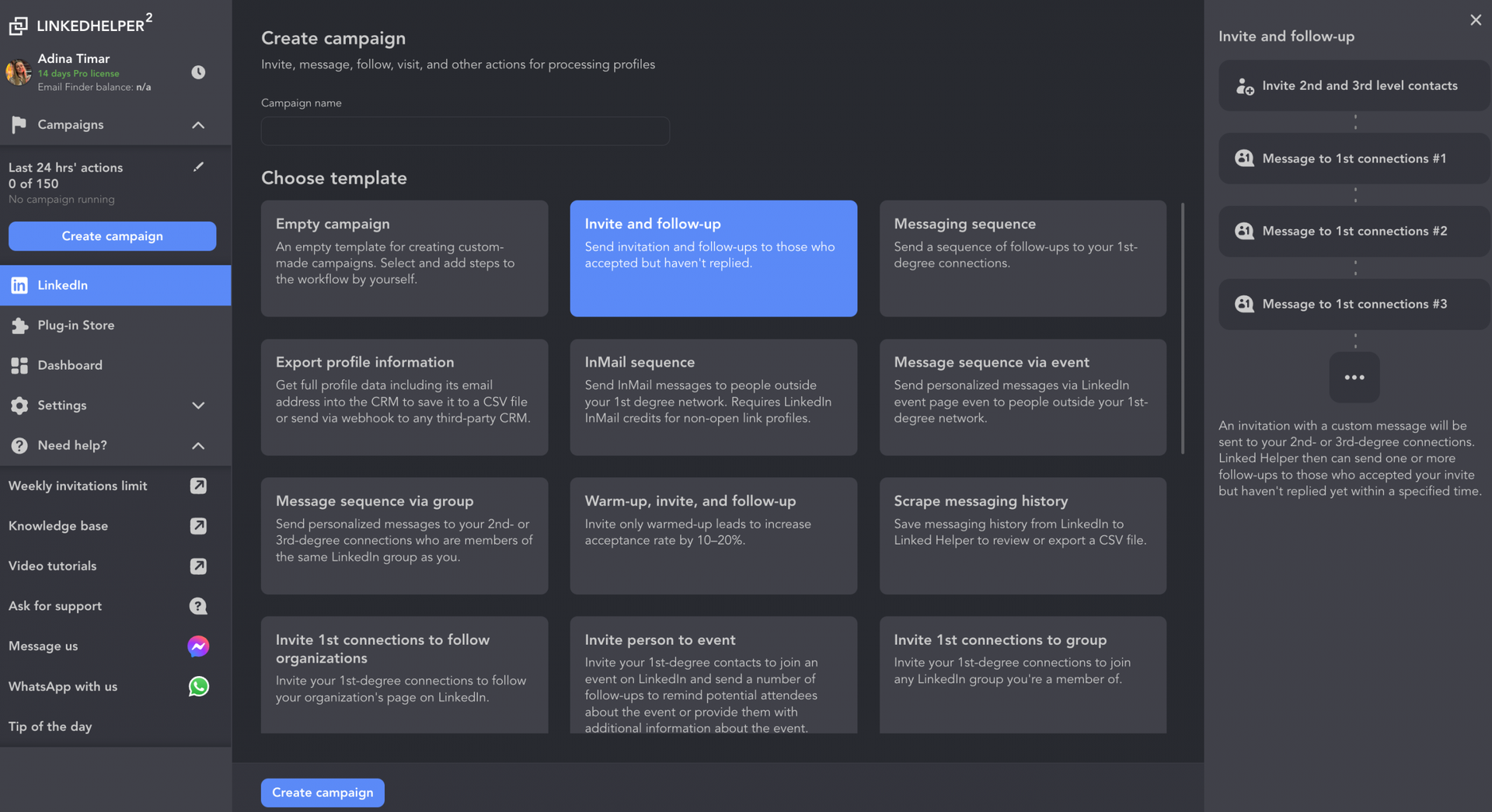
If you have a paid LinkedIn subscription, there’s a template for sending InMails to more distant connections. Templates reduce setup time, but you can also build campaigns from scratch when you need full control.
Is Linked Helper safe?
Any automation on LinkedIn involves risk. Operate with low daily volumes, add delays, and stop on replies.
Linked Helper runs locally on your machine and simulates browser actions. The approach reduces some detection vectors, but misuse triggers LinkedIn’s activity monitors.
To reduce the chance of getting your account restricted, stay within 50–100 daily connection attempts, randomize delays between actions, and pause sequences when prospects reply. For a deeper look at how to stay within safe boundaries, see our guide on safe LinkedIn automation limits.
What are the pros and cons of Linked Helper?
Pros:
- Visual campaign builder: Chain actions (visit → connect → message) without code.
- Built-in lead manager: Tag profiles, detect replies, and analyze sequence results so you don’t send duplicate messages.
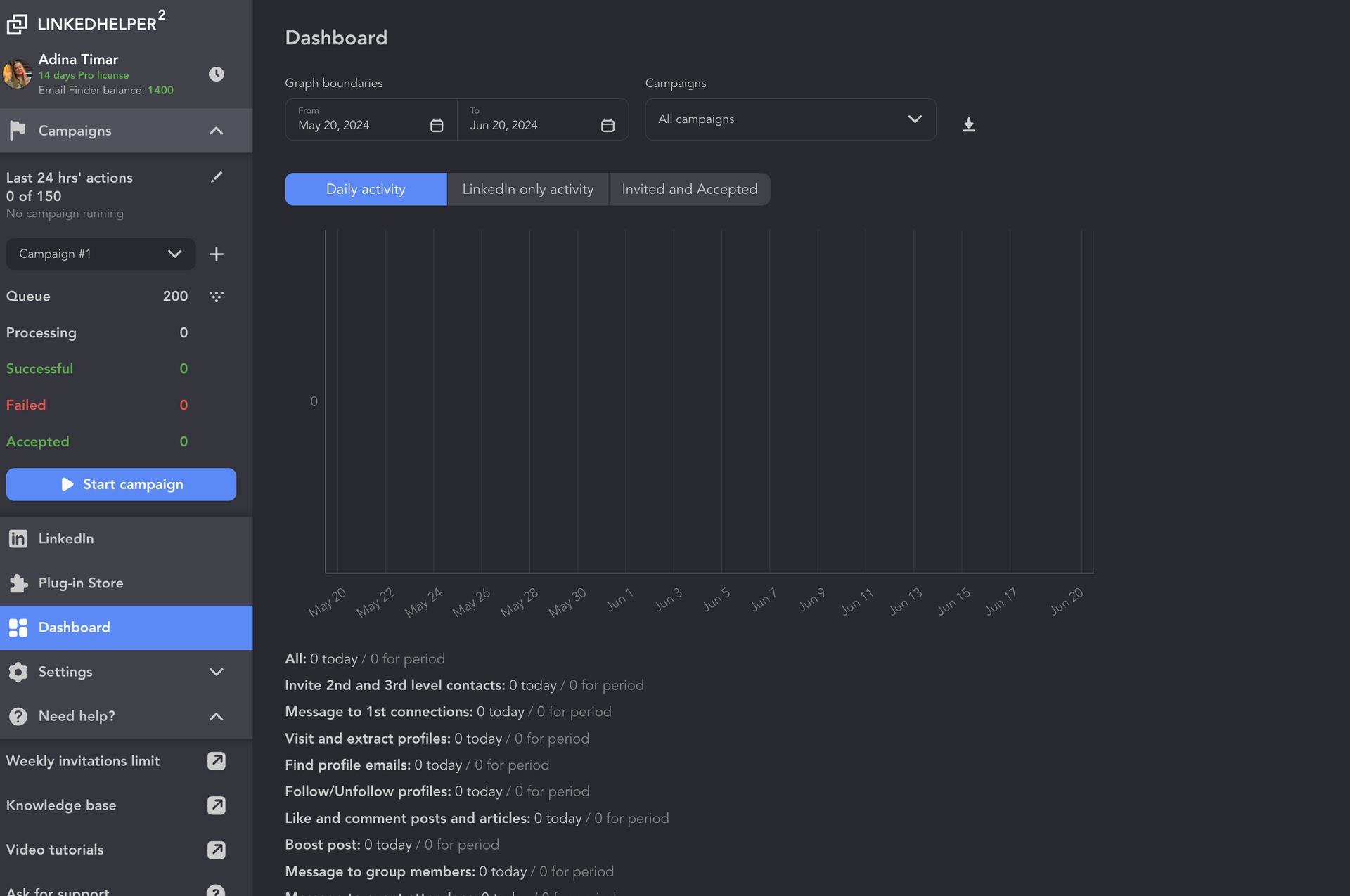
- Basic analytics: Linked Helper tracks automated actions and results with campaign-level dashboards.
- Lower entry price: Starts at $15/month; desktop runtime may reduce infrastructure costs but requires your machine to stay on.
- Reply detection: Stops outreach sequences when contacts reply, preventing awkward follow-ups.
Cons:
- Desktop-only operation: Campaigns pause when your computer sleeps or is shut down.
- Proxy and session setup: Configuration adds steps that non-technical users may find time-consuming.
- Manual data extraction: Profile extraction happens on your desktop and pauses when the app is closed.
- Setup complexity: The interface and configuration steps overwhelm users new to LinkedIn automation.
- Learning curve: Multiple settings and conditional logic require time to master.
What do users say about Linked Helper?
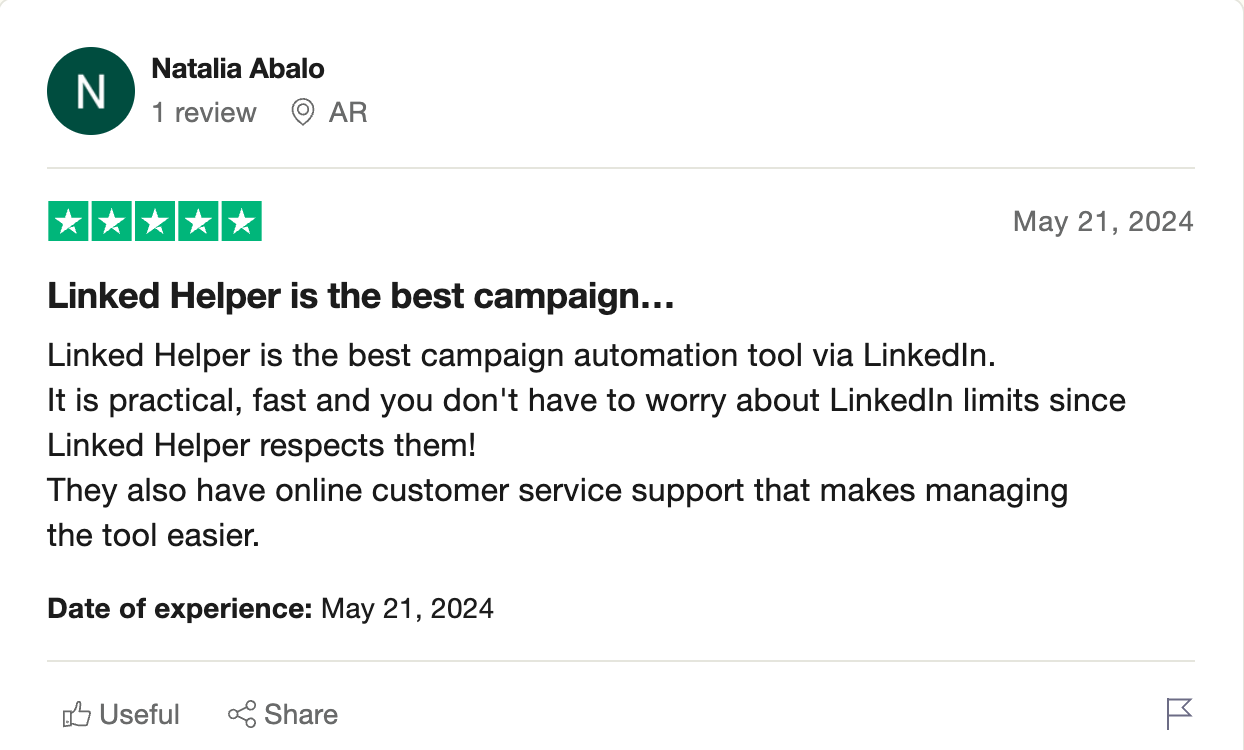
User feedback on Linked Helper splits into two themes. Positive reviews cite adherence to limits and responsive support. Users appreciate the visual campaign builder and customization options.
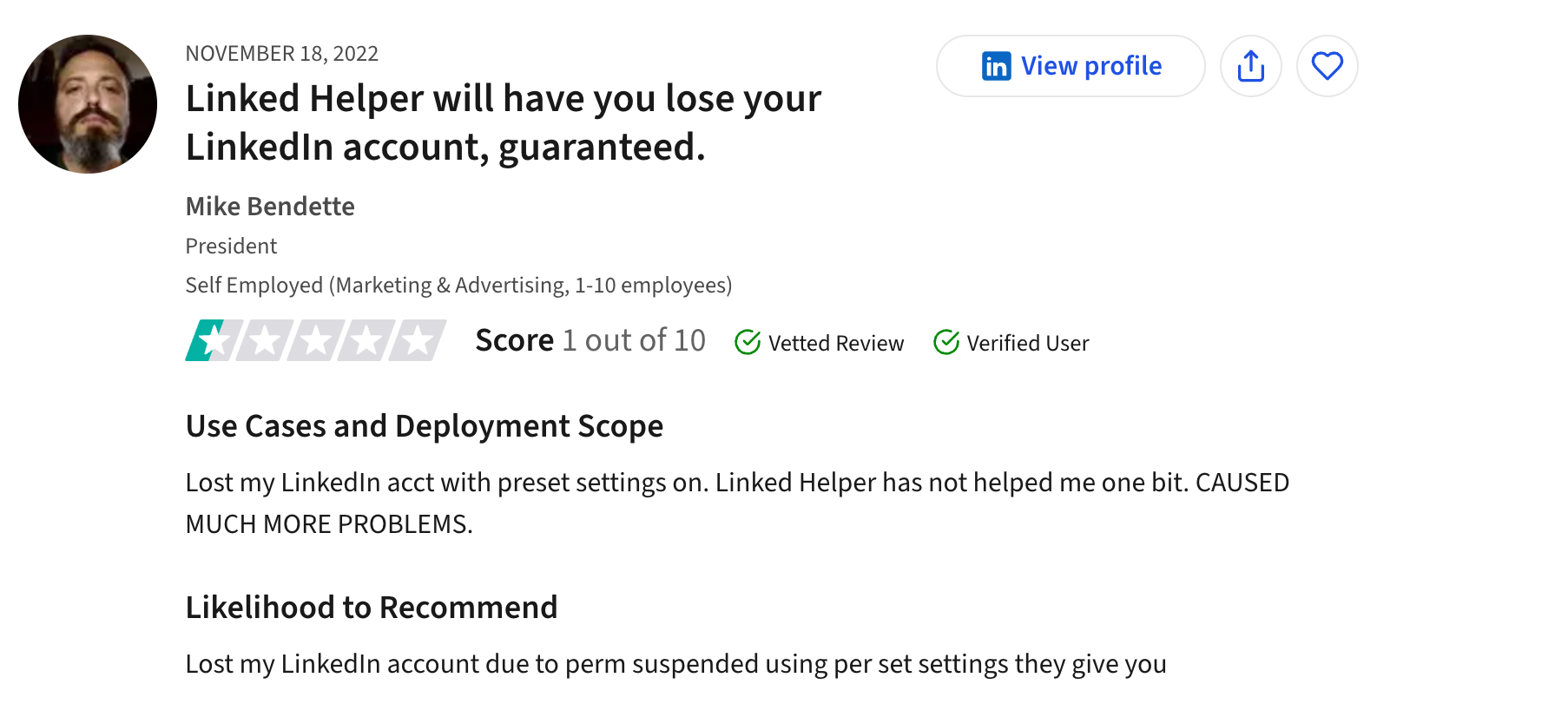
Negative reviews mention safety concerns and desktop dependency. Some users report account restrictions despite using recommended settings, while others note that campaigns stop when they close their laptops or travel.

The tradeoff is clear: lower price and local control versus 24/7 reliability and simpler onboarding.
What are Linked Helper’s pricing plans?
Here’s an overview of Linked Helper’s pricing plans and what each one offers (as of May 2026).
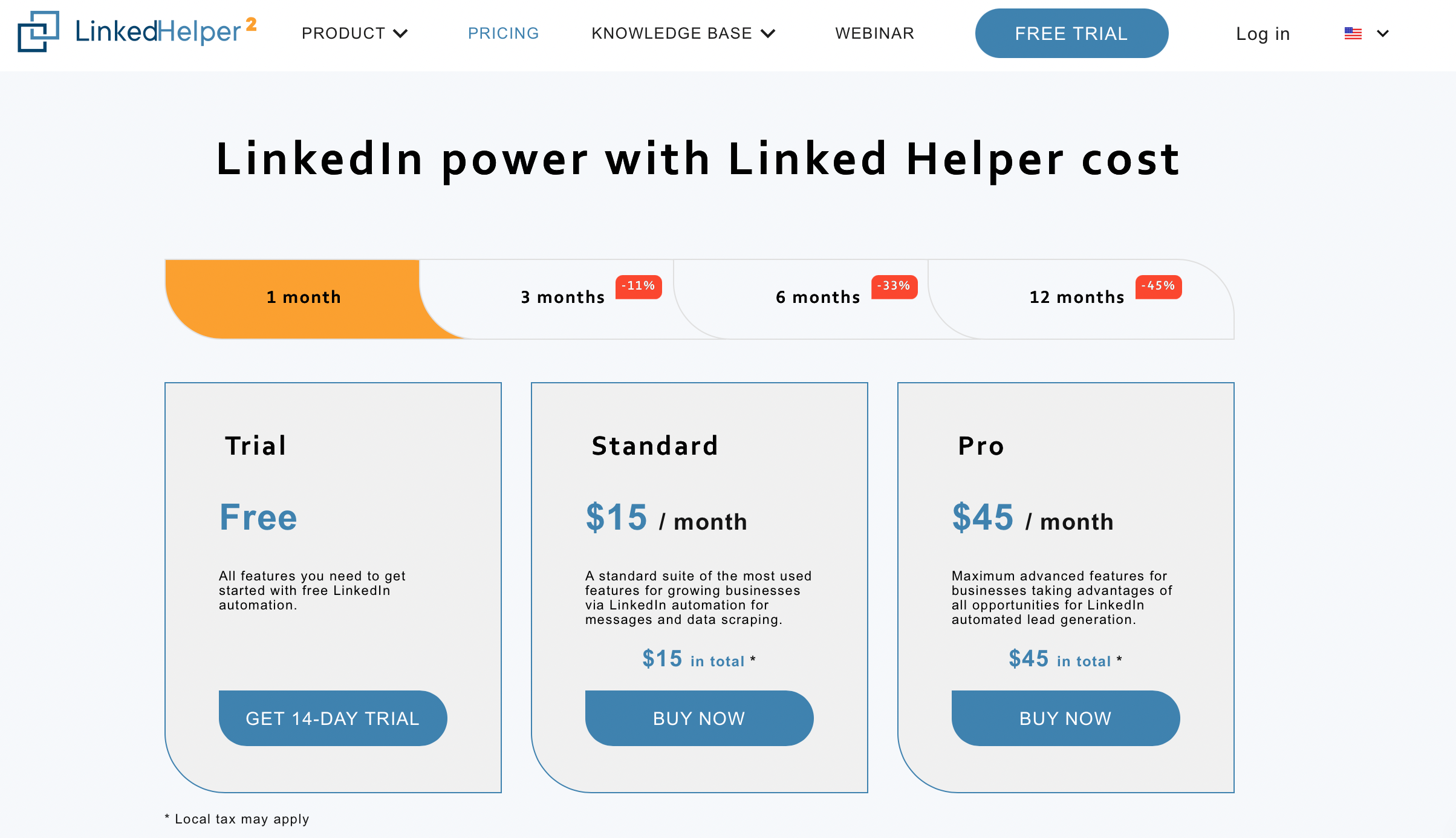
Linked Helper Trial Plan
- Price: Free
- Includes: All features to test LinkedIn automation, including basic messaging, data extraction, and profile viewing.
- Best for: Testing the tool before committing.
Linked Helper Standard Plan
- Price: $15/month
- Includes: Up to 20 messages per day, unlimited campaigns, custom campaign builder, message template editor, CRM export to CSV, and profile tagging.
- Best for: Solo reps running low-volume LinkedIn engagement.
Linked Helper Pro Plan
- Price: $45/month
- Includes: Higher daily message limits (subject to LinkedIn safety caps), all Standard features, advanced CRM integrations, bulk engagement actions, and hyper-personalization with custom variables and image attachments.
- Best for: Teams running multiple LinkedIn accounts and higher-volume sequences.
Linked Helper alternative: PhantomBuster
PhantomBuster is a strong alternative if you need cross-platform data extraction and outreach. It runs fully in the cloud, so you can schedule automations without keeping your computer on.
PhantomBuster runs on cloud infrastructure according to your schedules, even when your computer is off. Linked Helper’s desktop application stops your campaigns when you close your laptop lid or your computer goes to sleep.
Within PhantomBuster, LinkedIn engagement automations plug into Flows, so extracted lists are enriched and synced before messages go out.
Linked Helper vs. PhantomBuster for LinkedIn lead generation
Linked Helper automates campaigns and engagement on LinkedIn. It sends connection requests, follow-up messages, and manages contacts with a built-in lead manager.
PhantomBuster extracts LinkedIn data and enriches leads across platforms. You can use pre-built automations (Phantoms and Flows) to extract detailed profile data from LinkedIn and other platforms, which shortens list-building time and improves match rates before outreach.
PhantomBuster enables cross-platform data flows and chains automations together across the web. You can extract a list of people from a LinkedIn Sales Navigator search, automatically pass those profiles to the Instagram Profile Scraper automation to extract handles, and pipe the enriched data directly into HubSpot or a Google Sheet via webhook.
If you want robust lead generation, PhantomBuster is your go-to.
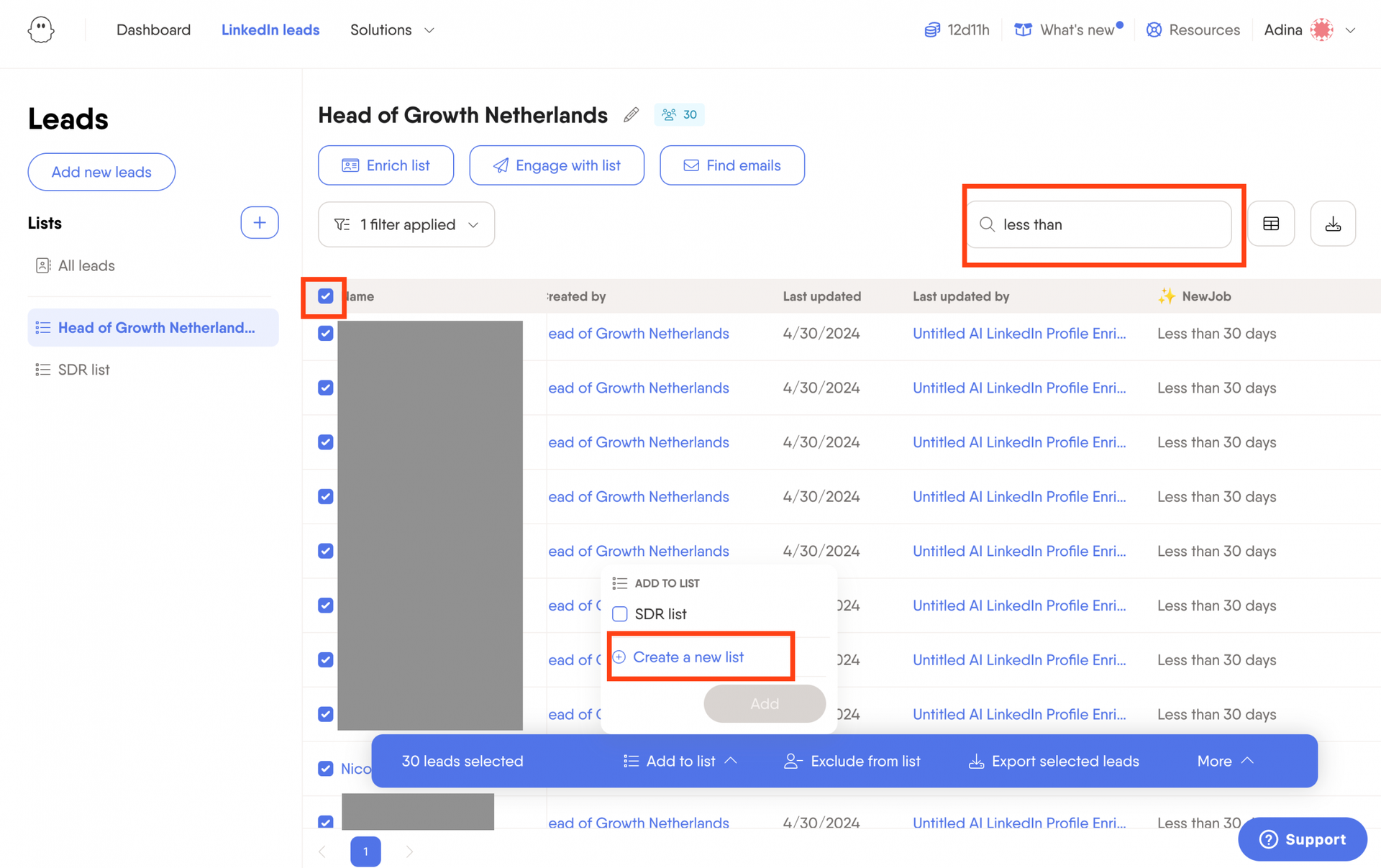
PhantomBuster offers broader cross-platform chaining via Flows for multi-network enrichment.
Linked Helper vs. PhantomBuster for LinkedIn engagement
Linked Helper’s visual editor lets you chain actions (visit → connect → message) without code and manage multiple campaign steps.
PhantomBuster lets you link Phantoms to create complex outreach workflows that run in the cloud. Automations execute on schedule, and reply detection stops sequences when prospects respond.
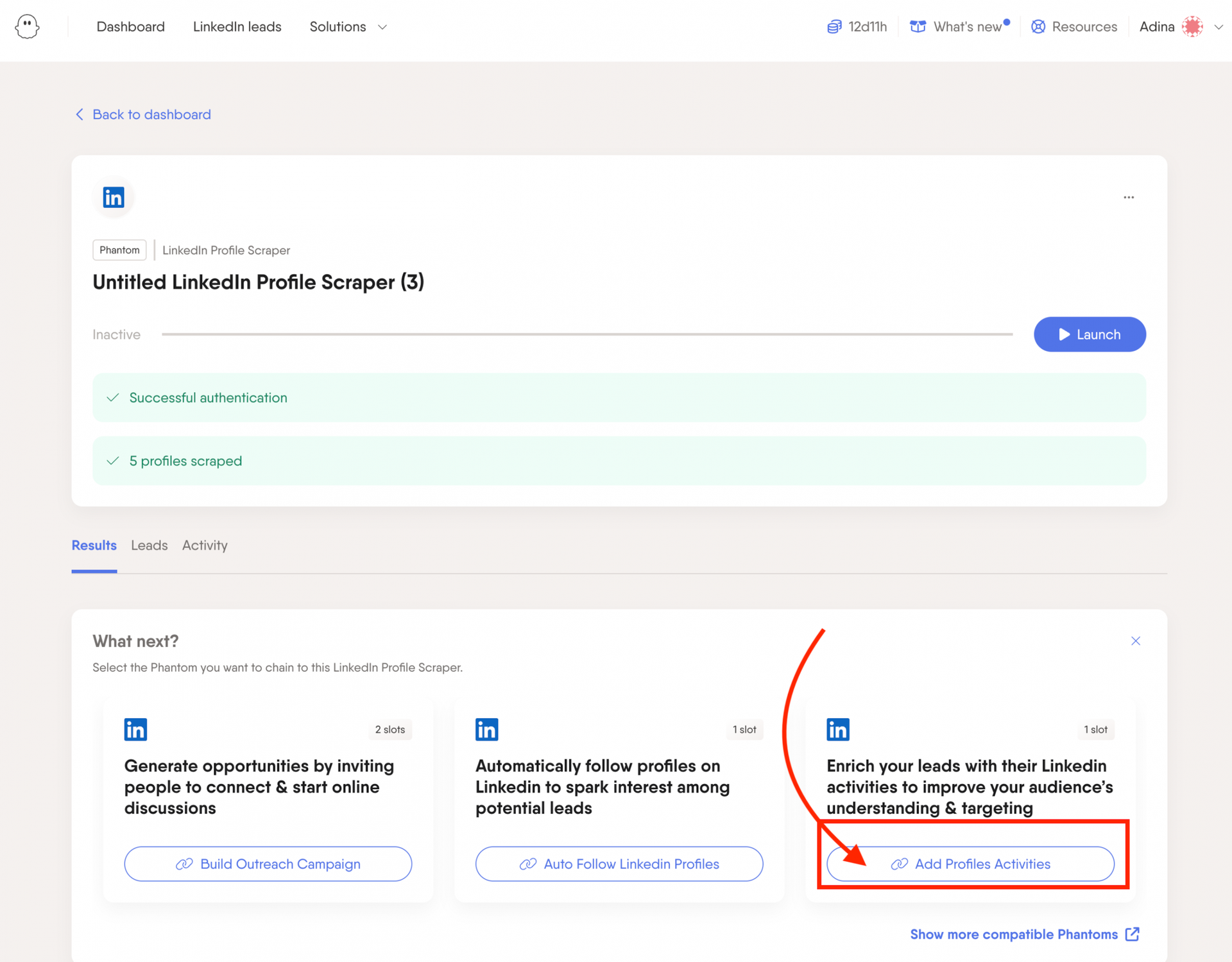
Both tools handle engagement, but PhantomBuster integrates engagement steps into broader data workflows (extraction → enrichment → CRM sync → outreach).
Linked Helper vs. PhantomBuster for LinkedIn outreach
Linked Helper lets you build outreach campaigns from scratch with full customization. Setup requires manual configuration, and your computer must remain running.
PhantomBuster simplifies setup with a large library of pre-built Phantoms designed for LinkedIn outreach. You can send connection requests, follow-up messages, and schedule actions in the cloud with multiple input options (CSV, Google Sheets, CRM exports).
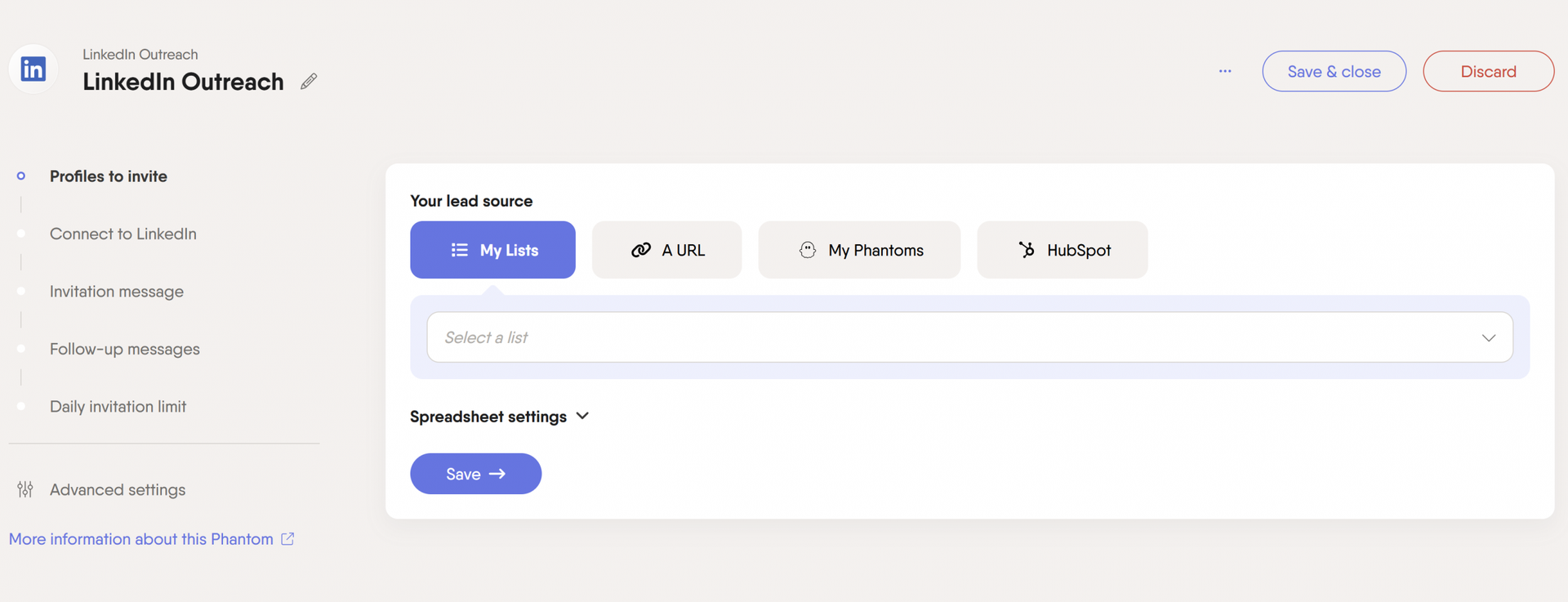
Setting limits and automation frequency for each campaign helps you manage outreach efforts while reducing account risk.
What are the pros and cons of PhantomBuster?
Pros:
- Cloud-based operations: Runs on PhantomBuster’s infrastructure, so campaigns continue when your laptop is off or traveling.
- Fast onboarding: Chrome extension accelerates onboarding by adding session cookies in one click, so first runs start in minutes without manual headers or proxy configuration.
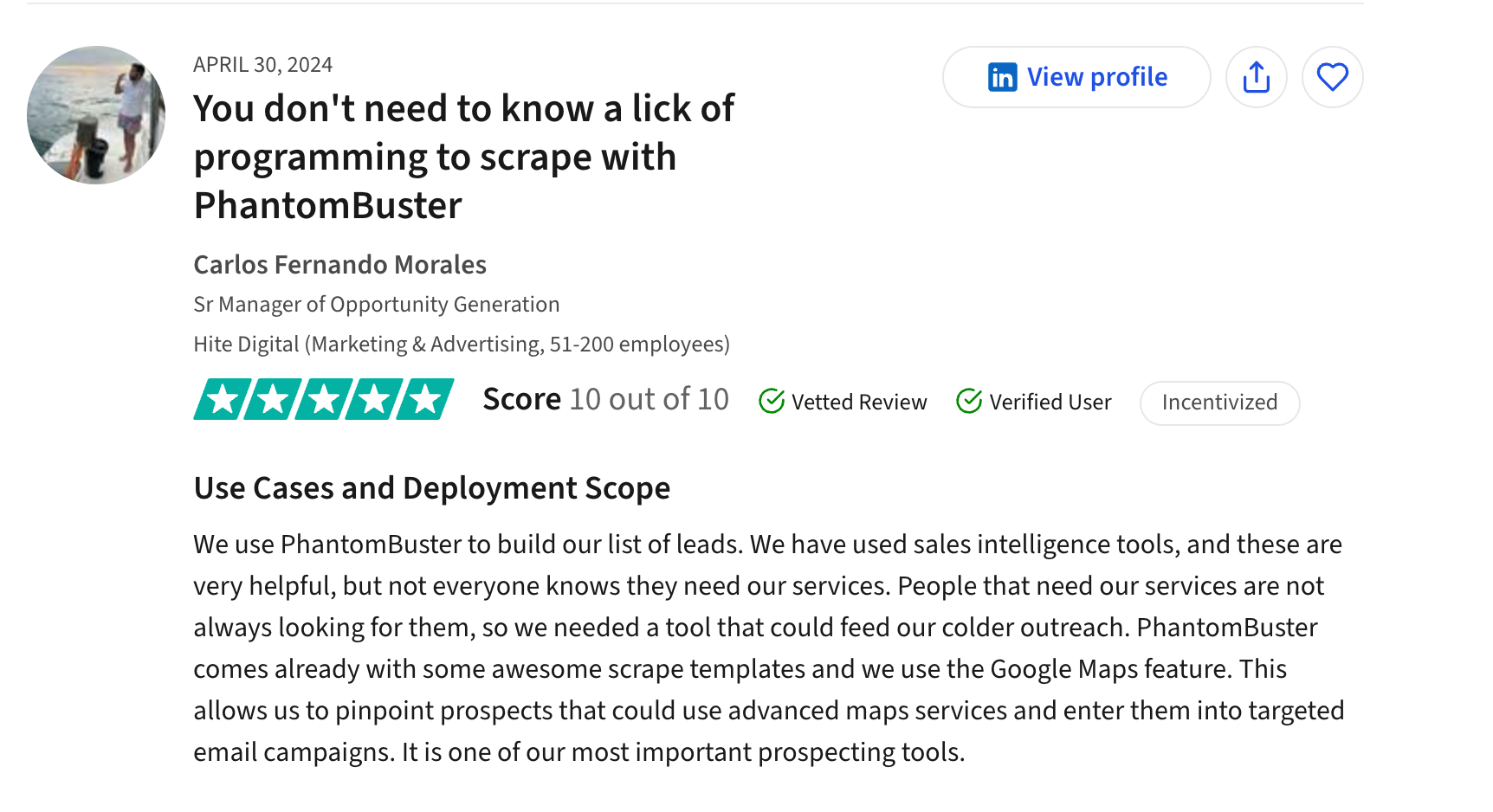
- Safety caps and reply detection: PhantomBuster enforces daily action caps, randomizes delays, and stops sequences on replies to reduce account risk and avoid triggering LinkedIn’s activity monitors.
- Cross-platform Flows: Chain automations across LinkedIn, Sales Navigator, Instagram, Twitter, and email enrichment tools—then sync to your CRM.
- Built-in limits: PhantomBuster includes safety limits to help you avoid triggering LinkedIn’s spam detectors and risking account restrictions.
- Depth of automation: Handle everything from invitations to complex sequences.
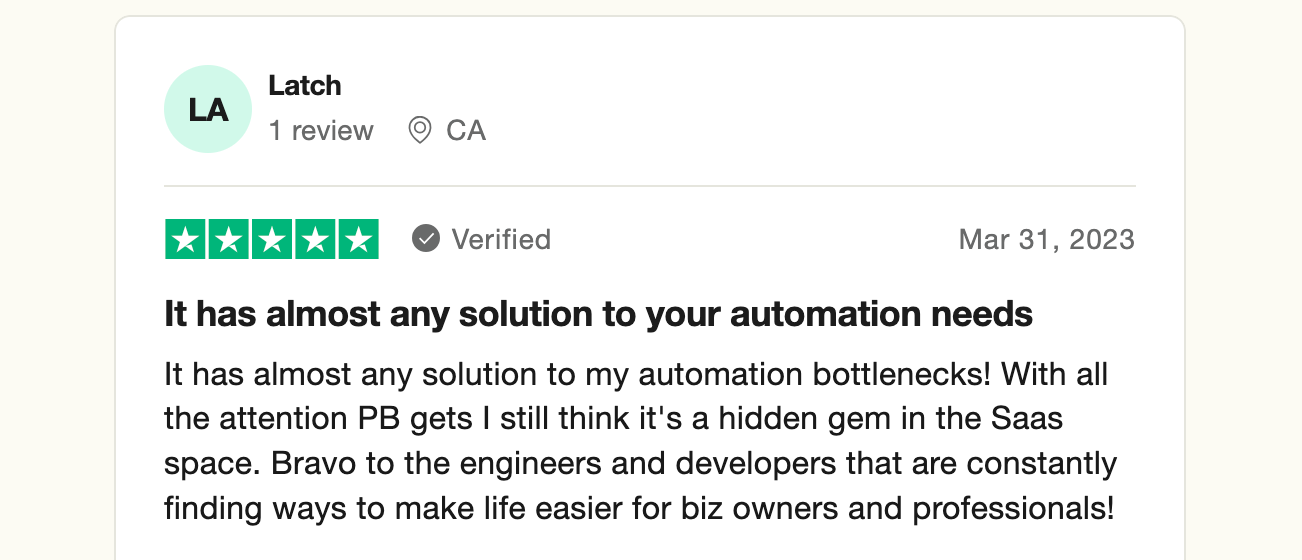
- No white-label option: If you’re looking for a fully customizable, white-label lead generation tool, PhantomBuster might not be the best choice.
- Strict compliance with LinkedIn limits: While this is good for safety, it might be a drawback if you’re looking for aggressive automation options against LinkedIn policies.
Cons:
- No white-label option: PhantomBuster does not offer white-label configurations for agencies that need fully branded solutions.
- Conservative activity limits by design: PhantomBuster enforces conservative activity limits to reduce account risk. If you try to exceed safe volumes, runs pause automatically.
What are PhantomBuster’s pricing plans?
PhantomBuster’s usage-based pricing starts at $56/month (as of May 2026). Each plan grants access to all pre-built Phantoms and Flows.
PhantomBuster 14-day free trial
- Includes: 2 hours of execution time, 1k AI credits, 5 Phantom slots, 50 email credits, and limited data export. No credit card required.
- Best for: Testing PhantomBuster to understand which plan fits your workflow.
PhantomBuster Start plan
- Price: $56/month
- Includes: 20 hours of execution time, 10k/month AI credits, 5 Phantom slots, unlimited data export, and 500 email credits.
- Best for: Single users and small teams running 1–3 workflows.
PhantomBuster Grow plan
- Price: $128/month
- Includes: 80 hours of execution time, 30k/month AI credits, 15 Phantom slots, unlimited data export, and 2,500 email credits.
- Best for: Teams with multiple workflows and higher monthly data volumes.
PhantomBuster Scale plan
- Price: $352/month
- Includes: 300 hours of execution time, 90k/month AI credits, 50 Phantom slots, unlimited data export, and 10,000 email credits.
- Best for: Large teams and agencies running complex, multi-channel workflows.
How to choose between Linked Helper and PhantomBuster
For SDRs running LinkedIn-only outreach: Choose Linked Helper if you only need LinkedIn engagement sequences and you’re comfortable running a desktop app. Plan for human-like daily limits (50–100 connection attempts) and manual reviews before sending.
For managers building cross-platform lead pipelines: Choose PhantomBuster if you need cross-platform data extraction and enrichment (e.g., Sales Navigator → email enrichment → CRM sync) with cloud scheduling and built-in safety caps.
The decision depends on four factors:
1. Weekly outreach volume and channels: If you send 200+ LinkedIn invites per week or need to extract data from multiple platforms (LinkedIn + Instagram + Twitter), PhantomBuster’s cloud-based Flows handle higher volumes and cross-platform enrichment reliably.
2. Data extraction and enrichment needs: If your workflow requires extracting 5k–20k profiles per month, finding corporate emails, and syncing enriched data to your CRM, PhantomBuster automates the full pipeline. Linked Helper exports basic profile data to CSV but does not enrich or sync automatically.
3. Desktop vs. cloud operations: If your team works remotely or campaigns must run 24/7, PhantomBuster’s cloud infrastructure executes on schedule without requiring machines to stay on. Linked Helper campaigns pause when computers sleep.
4. CRM sync and governance: PhantomBuster syncs enriched data to HubSpot, Salesforce, and Google Sheets via webhooks and native connectors. Linked Helper exports to CSV, requiring manual imports or additional middleware.
Frequently asked questions
Is Linked Helper safe to use on LinkedIn?
Any LinkedIn automation carries account risk. Linked Helper runs locally and simulates browser actions, which reduces some detection vectors. Stay within 50–100 daily connection attempts, add randomized delays, and stop sequences when prospects reply to reduce restrictions.
What is the main difference between Linked Helper and PhantomBuster?
Linked Helper is a desktop app focused on LinkedIn engagement sequences (connection requests, messaging, follow-ups). PhantomBuster is a cloud platform that extracts data across multiple channels (LinkedIn, Sales Navigator, Instagram, Twitter), enriches it, and syncs to your CRM.
How do PhantomBuster Flows work for cross-platform lead generation?
PhantomBuster Flows chain multiple Phantoms into a single workflow. For example, you can extract LinkedIn profiles from a Sales Navigator search, pass them to an email enrichment Phantom, filter by job title, and sync the enriched list to HubSpot—all automated in the cloud.
Can I sync Linked Helper data to my CRM?
Linked Helper exports profile data to CSV files. You can import these files into your CRM manually or use middleware (Zapier, Make) to automate CSV imports. PhantomBuster offers direct CRM sync via webhooks and native integrations.
Do I need to keep my computer on to run Linked Helper campaigns?
Yes. Linked Helper is a desktop application. Campaigns pause when your computer sleeps, shuts down, or loses internet connection. PhantomBuster runs in the cloud, so campaigns continue even when your computer is off.
What daily limits should I use to avoid LinkedIn restrictions?
Plan under 50–100 daily connection attempts with randomized delays (60–120 seconds between actions) and reply-based stops. Both Linked Helper and PhantomBuster let you configure these limits, but your settings determine risk. Learn more about LinkedIn limits and how to work within them.
How much does PhantomBuster cost compared to Linked Helper?
Linked Helper starts at $15/month for the Standard plan. PhantomBuster starts at $56/month (as of May 2026). PhantomBuster’s pricing reflects cloud infrastructure, cross-platform extraction, and CRM sync capabilities. Linked Helper’s lower price reflects desktop-only operation and LinkedIn-only scope.
When should I choose engagement-only tools versus data extraction and outreach platforms?
Choose engagement-only tools (like Linked Helper) when your workflow is limited to LinkedIn messaging sequences and you manage lead lists outside the tool. Choose data extraction and outreach platforms (like PhantomBuster) when you need to extract contacts from multiple sources, enrich with emails and firmographic data, and sync enriched lists to your CRM before outreach.
Conclusion
Linked Helper works well for solo reps and small teams that only need LinkedIn engagement sequences and are comfortable managing a desktop application. PhantomBuster enables cross-platform workflows (LinkedIn → email enrichment → CRM sync) with cloud scheduling and built-in safety guardrails.
The tradeoff is clear: lower price and local control versus 24/7 cloud operations and integrated data pipelines. Choose based on your weekly outreach volume, data extraction needs, and whether your team requires CRM governance.