
Most sales teams are drowning in admin work when they should be out building relationships. Between updating CRMs, logging calls, tracking follow-ups, and managing half-filled spreadsheets, too much energy is wasted on maintenance instead of momentum.
Reps spend nearly 70% of their time on non-revenue tasks, costing teams deals and morale.
But it doesn’t have to be this way. With PhantomBuster automations, you extract LinkedIn leads, enrich profiles with AI, generate personalized messages, and sync to your CRM on a set schedule.
This guide shows you how to set it up from scratch. You will learn to:
- Build targeted lists from LinkedIn and warm intent signals without manual effort
- Clean profiles automatically and generate concise, personalized messages
- Use PhantomBuster’s CRM integrations to push contacts and activities automatically
- Track acceptance rates, replies, and meetings in your CRM using the Campaign_Source tag
Before you start: What you need
- Tools: PhantomBuster automations to extract LinkedIn data and automate outreach, LinkedIn (Sales Navigator optional but recommended for precise targeting), and a CRM like HubSpot, Salesforce, or Pipedrive to track pipeline performance and attribution.
- Clear ICP: Identify core job titles and seniority levels, ideal industries, revenue or employee size ranges, and tech stack indicators if relevant.
- Sales strategy: Decide the strategic angle: broad outbound, event-based targeting, competitor engagement, new role movers, or product-qualified leads from your content audience.
- CRM fields ready for segmentation and attribution: Add custom fields such as Persona, Seniority, ICP_Fit_Score, LinkedIn_URL, and Campaign_Source. These let you track channel performance, run cohort analysis, score lead quality, and attribute revenue back to your LinkedIn workflows instead of guessing what worked.
The complete sales process at a glance
Here’s how the end-to-end workflow looks with PhantomBuster:
Discover (LinkedIn exports) → Enrich (Advanced AI Enricher) → Personalize (AI Message Writer) → Outreach (LinkedIn Outreach) → Sync (CRM integrations) → Measure (CRM dashboards)
- Extract prospects from LinkedIn searches, events, groups, or post engagement with PhantomBuster
- Use PhantomBuster’s Advanced AI Enricher to normalize job titles, clean data, and surface hooks
- Generate personalized messages with PhantomBuster using context from each profile
- Send connection requests and follow-ups with natural sending windows and randomized delays
- Use PhantomBuster’s CRM integrations to push contacts and activities automatically
- Track performance in your CRM dashboard and schedule PhantomBuster refresh runs monthly to maintain data quality
This workflow eliminates manual tasks at every step, letting your sales operations team scale outreach without adding headcount.sales operations team scale outreach without adding headcount.
Core workflow: From Sales Navigator to personalized outreach to CRM
Step 1: Build precise targeted lists
Start by creating segmented searches in LinkedIn Sales Navigator based on your ideal customer profile. Filter by function, seniority, company size, and geography. The more structured your lists, the more relevant your outreach will feel later.
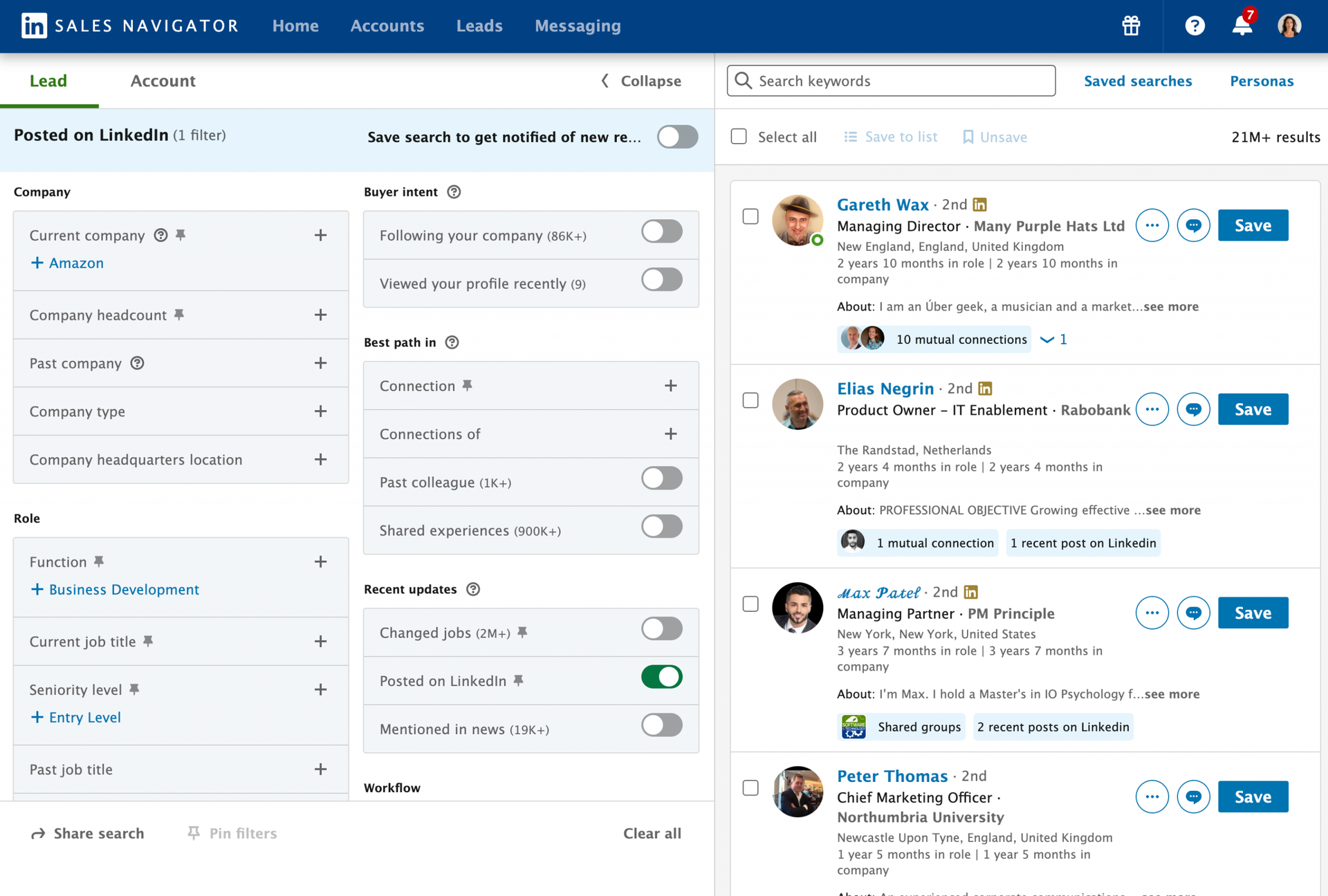
Once your lists are ready, copy the Sales Navigator search or list URL and paste it into PhantomBuster’s Sales Navigator List Export automation. Within minutes, PhantomBuster extracts structured prospect data including name, title, company, location, industry, and LinkedIn URL across key fields.
You work with recently extracted LinkedIn data instead of outdated CSVs, forming a reliable foundation for your personalized messaging and CRM sync in the next steps.
Step 2: Clean and standardize your lead data
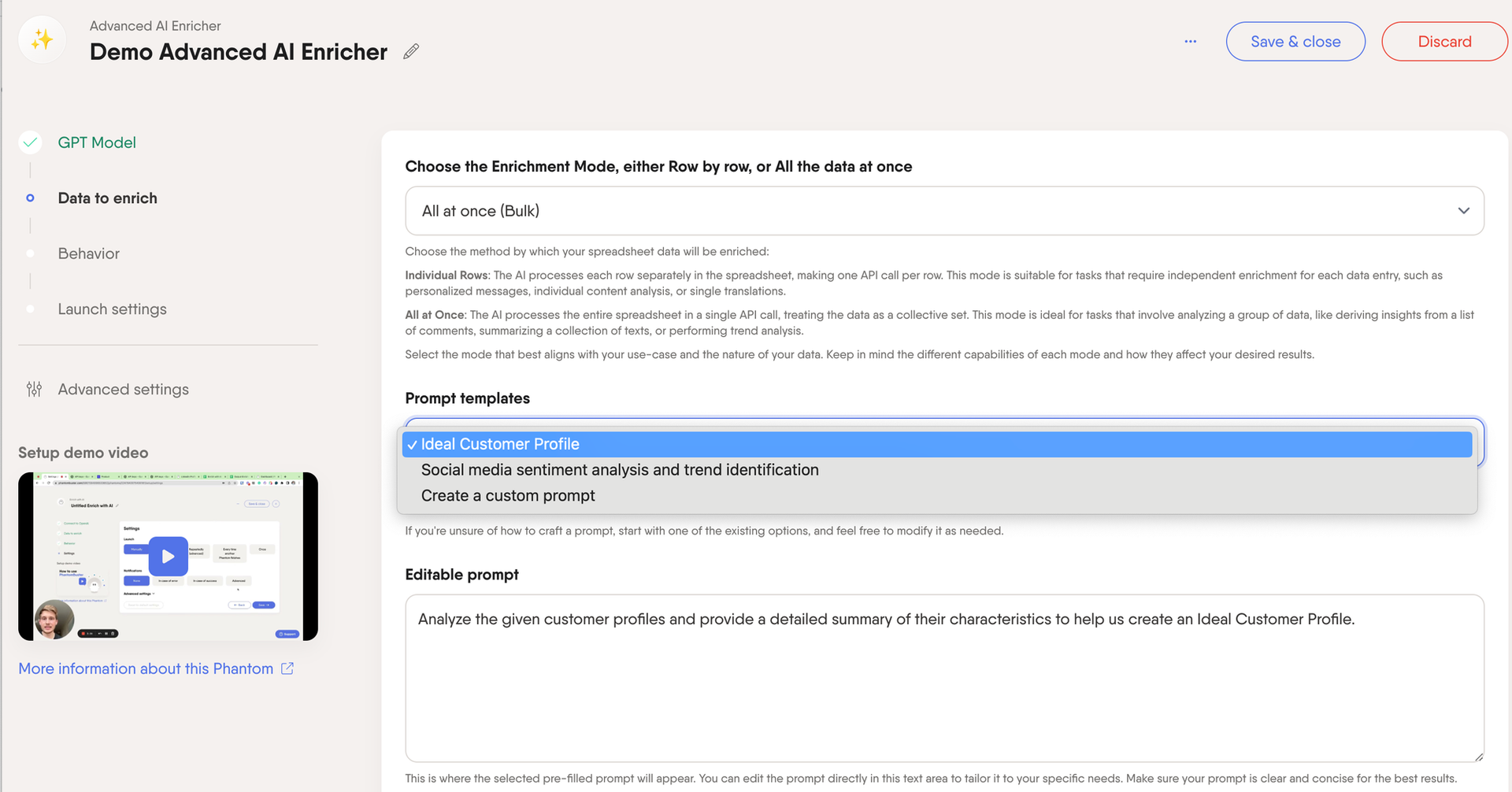
Start by running PhantomBuster’s Advanced AI Enricher automation to standardize your data automation to standardize your data, so every lead record follows a consistent structure before entering your CRM. It automatically standardizes job titles, formats names, removes duplicates, and tags personas. Clean data at this stage saves hours of manual correction later and keeps your sales pipeline analytics reliable.Clean data at this stage saves hours of manual correction later and keeps your sales pipeline analytics reliable.
Once your list is standardized, use the same automation to analyze and rank prospects based on fit and intent. The AI reviews each profile and assigns an ICP_Fit_Score with a brief rationale covering role relevance, company size, and recent activity.
Step 3: Generate on-brand, personalized messages
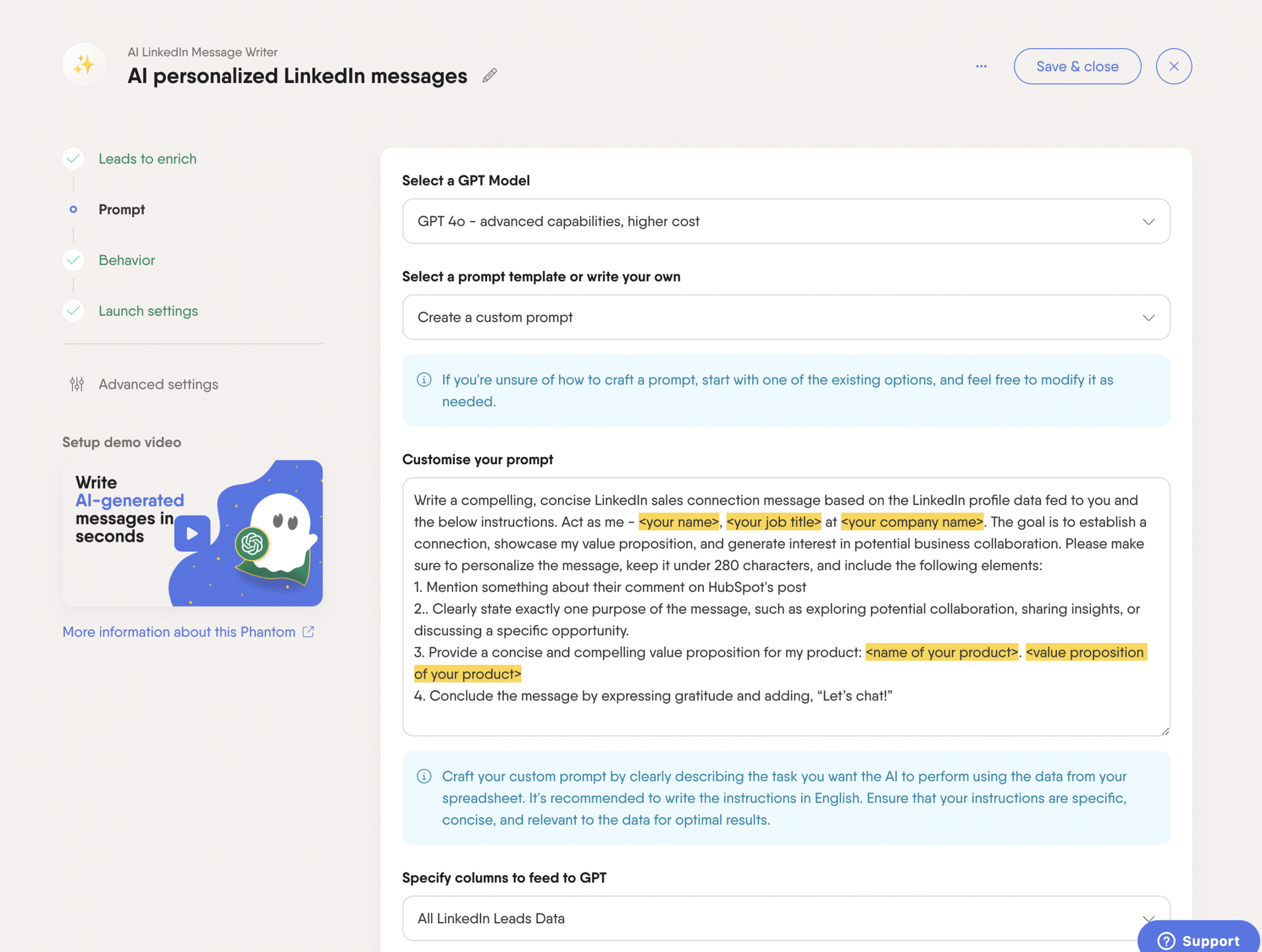
Now that your lead list is ranked and enriched, turn insights into outreach. Use PhantomBuster’s AI LinkedIn Message Writer to generate concise connection notes and follow-ups aligned with your tone guidelines.
Upload your enriched list and map fields like First Name, Persona, and Hook_Summary. The automation uses these inputs to generate short messages under 300 characters that feel personal, not templated. Each message is written using contextual cues such as recent role changes, shared interests, or relevant industry pain points.
Structure your messages for clarity and intent:
- Line 1: Relevant hook (e.g., recent role change, shared interest, or post they made)
- Line 2: Purpose of the message or reason for reaching out
- Line 3: Quick value proposition or outcome you can help achieve
- Line 4: Soft call-to-action (e.g., “let’s connect” or “happy to share how others solved this”)
The automation uses GPT-powered AI to generate personalized sequences for every lead in your list, so your outreach stays consistent, warm, and scalable without sounding robotic or repetitive.
Step 4: Send outreach that respects platform limits
With your personalized messages ready, set up the LinkedIn Outreach automation automation to send them safely. In LinkedIn Outreach, set working hours, enable natural delays, and skip existing connections.
These guardrails are essential for scaling responsibly. Protecting your account while maintaining consistent visibility in your prospects’ feeds keeps your outreach effective. Skipping these settings can trigger LinkedIn’s abuse-detection limits and reduce deliverability.
For sales teams, standardize these settings in PhantomBuster team presets so everyone maintains consistent, safe practices.
Step 5: Sync contacts and activities to your CRM
Finally, connect everything back to your CRM so sales, marketing, and customer success teams work from a single shared record. As part of the same PhantomBuster workflow, use our HubSpot, Salesforce, or Pipedrive integrations to sync enriched leads and activities.
Start with these core fields for CRM mapping:
- Contact properties: First_Name, Last_Name, Email, Title_Clean, Seniority, Persona, LinkedIn_URL, ICP_Fit_Score
- Company properties: Company_Name, Domain, Employee_Range, Industry
- Activities: Connection_Invite_Sent, Follow_Up_1, Follow_Up_2, Reply_Received (with timestamps)
Tag every synced record with a Campaign_Source value (e.g., LinkedIn_SN_Prospecting_Q1 or Event_Attendees_WebSummit) to track how each campaign performs and which list types drive the most engagement.
This step removes most manual entry, improves attribution, and centralizes touchpoints in your CRM. Your CRM stays up to date automatically, while your team focuses on what matters most: converting high-intent prospects into long-term customers.
Step 6 (Optional): Keep data fresh automatically
Schedule the Contact Career Tracker to update job titles and companies quarterly. When prospects change roles, a major buying signal, your CRM updates automatically and triggers follow-up workflows.
Workflow B: Engage warm intent signals
The best leads are people already showing interestThe best leads are people already showing intent. Use this workflow to reach prospects who commented on or liked relevant LinkedIn posts from industry leaders or competitors.
Capture public engagers
Run PhantomBuster’s LinkedIn Post Commenters & Likers Extractor on posts with strong engagement. Focus on people who engaged this week; older activity rarely indicates current interest.
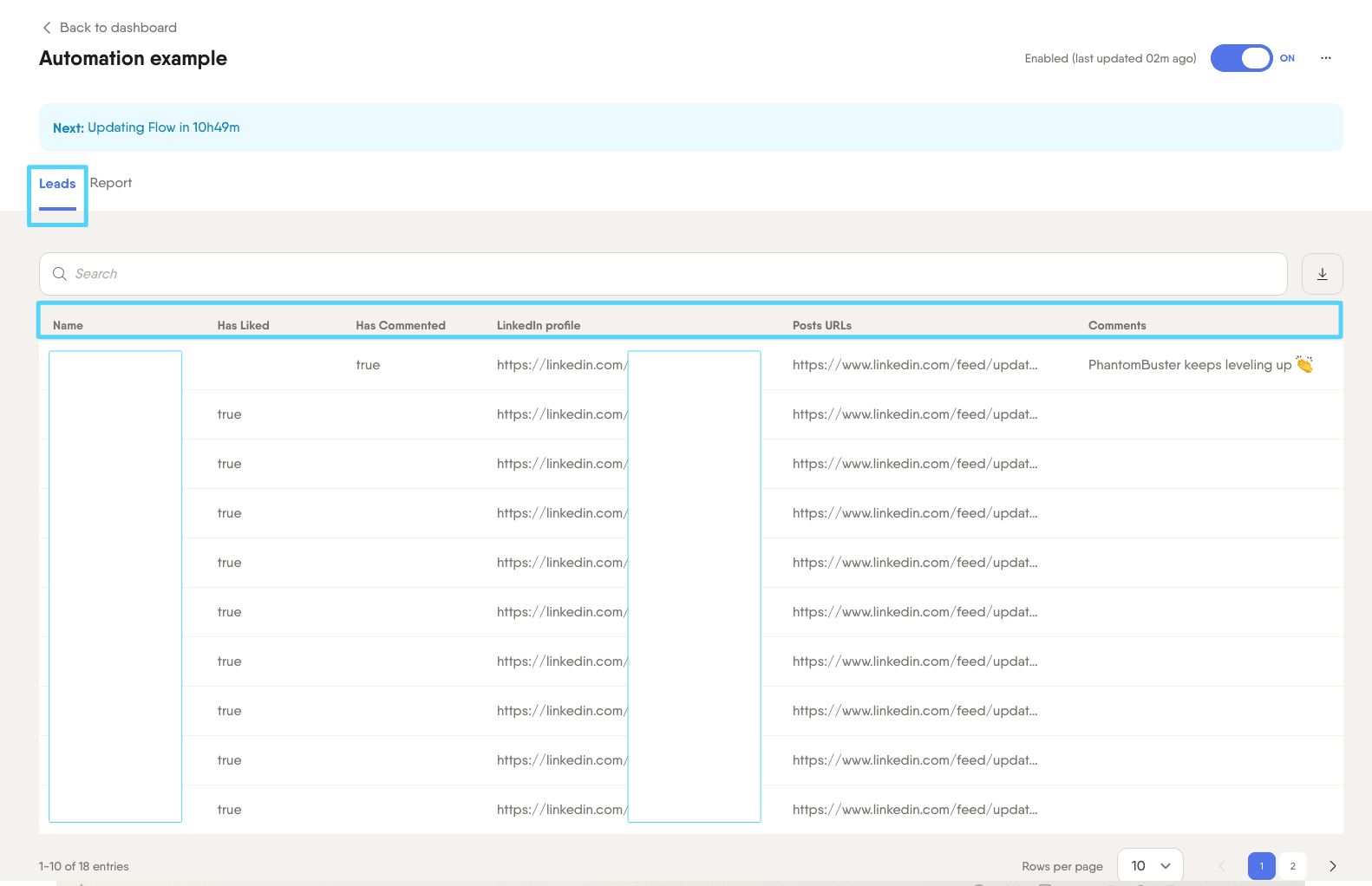
You’ll capture profile data and engagement context for an ongoing stream of potential buyers already paying attention to your space.
Add context with AI
Next, run AI LinkedIn Profile Enricher to identify role relevance, recent activity, and topic interest. It scans the collected posts, comments, and job details to reveal what’s driving their engagement: productivity, budget cuts, growth, or tech consolidation. The automation then generates personalized connection notes that reference their specific comment or post like:
“Saw your comment about consolidating sales tools to improve data quality. Happy to share how another RevOps team streamlined their stack, worth a quick compare?”
Sync and measure
Push these enriched, high-intent profiles directly into your CRM with a clear campaign tag such as Campaign_Source = “LinkedIn_Intent_[Topic]”.
Segment them separately from cold outreach to track acceptance and reply rates. In our experience, intent-based lists convert higher than cold lists. Track your own baseline to confirm.
Workflow C: Turn event attendees into meetings
Events and communities create natural openings for sales prospecting because you share context with prospects before you even connect.
- Pull attendee lists with PhantomBuster’s LinkedIn Event Guests Export or Group Members Export. Deduplicate against your CRM and active campaigns using PhantomBuster’s update-existing settings so reps don’t double-touch the same accounts.
- Run AI LinkedIn Profile Enricher to tag session interests, topics mentioned, and mutual connections. Keep fields like Event_Name, Session_Interest, Topic_Tags, and Mutuals_Count. This turns a flat attendee list into intent-rich segments you can personalize at scale.
- Schedule inside LinkedIn Outreach with working hours, natural delays, and pause on reply. Skip existing connections and throttle daily sends to protect accounts. For connection messages, aim for 180–240 characters and one clear ask:
Pre-event (send three to five days before): “Planning to catch the {{session_interest}} track at {{event_name}}. I’m comparing approaches with a few RevOps leads. Open to a 10-minute chat after Day 1?”
Post-event (send within 24–48 hours): “Good to see fellow {{topic_tags}} folks at {{event_name}}. That session on pipeline quality landed. I can share a short case study on reducing no-show demos. Interested?”
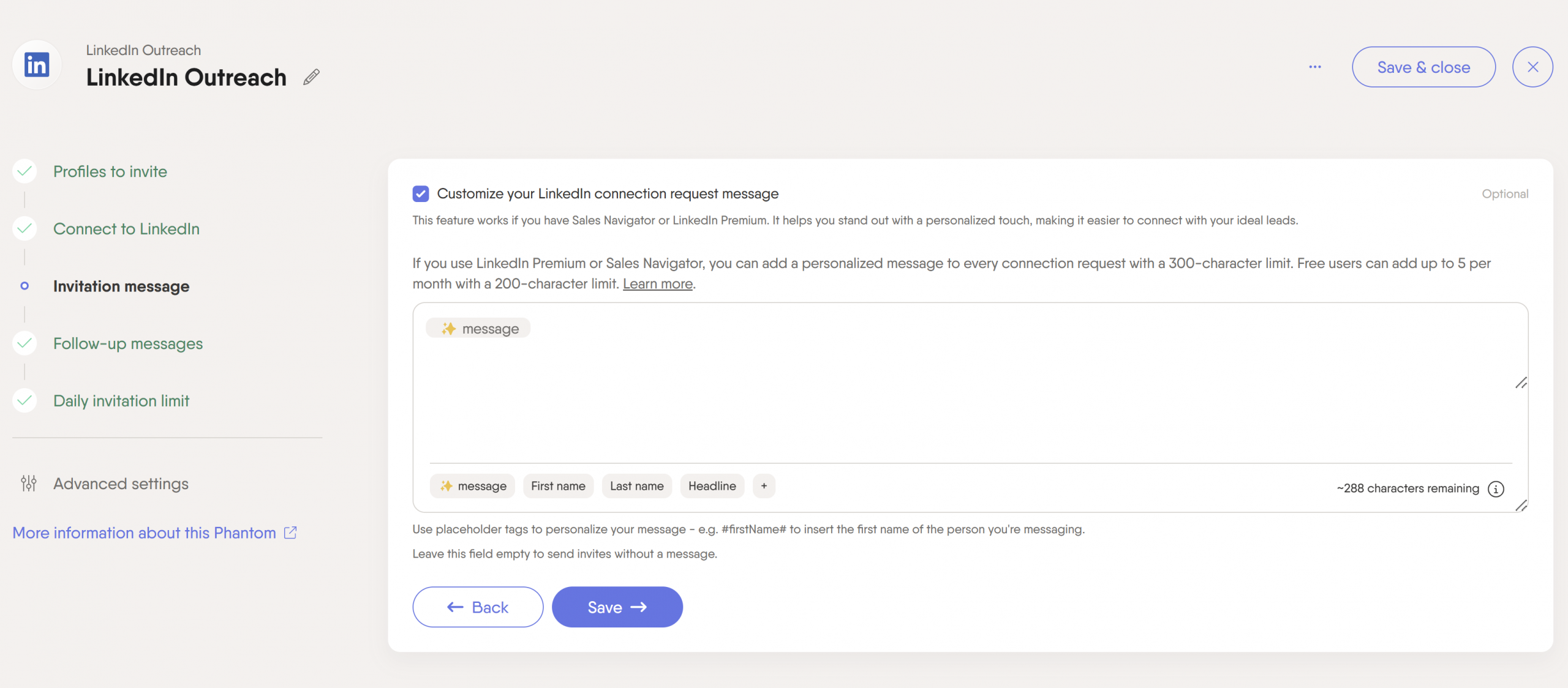
- Sync to your CRM via PhantomBuster’s native integration with campaign tagging like Campaign_Source = Event_{{Name}}_{{Year}}. Map Connection_Invite_Sent, Follow_Up_1, Reply_Received with timestamps. Create a saved view for Event_Name to compare acceptance, reply, and meeting rates by event and session track.
Data hygiene and safety: Non-negotiables
Automation tools amplify bad data as fast as they amplify good data. Protect your sales process with these rules:
- Normalization: Use Advanced AI Enricher in the workflow to standardize titles, clean names, and validate LinkedIn URLs prior to CRM sync. This ensures job titles follow VP/Director/Manager formats, removes emojis and symbols from names, and confirms profile URLs are accurate.
- Deduplication: Prevent double-touches by matching records on email address and LinkedIn URL. Configure your CRM to flag or block duplicate creation automatically. PhantomBuster’s native integrations can update existing records rather than creating new ones, protecting your team from messy overlaps and inflated metrics.
- Respectful automation: Only run during work hours, add natural spacing between actions, stop when prospects reply, and never pull private or restricted data. PhantomBuster includes safety pacing and natural timing options to protect your account while your outreach stays scalable.
These practices help your automated workflow maintain data quality and protect your brand.
Common pitfalls and quick fixes
- Low acceptance rates: Revisit your targeting. Refine Sales Navigator filters by seniority, function, and geography, and layer in industry-specific keywords to surface the right buyers. High-intent matches make personalization easier and dramatically lift acceptance rates.
- Generic messages get ignored: Start with one specific, fact-based hook tied to the prospect’s role, company priority, or recent post. The first line should prove you’ve done your homework before you pitch.
- CRM clutter from duplicate records: Duplicate data kills pipeline accuracy. Match on LinkedIn URL, email, and company domain, and configure your CRM to merge or block duplicates automatically. Use PhantomBuster’s sync settings to update existing records instead of creating new ones.
- Inconsistent pacing across reps: Use PhantomBuster team presets to set daily limits, delays, and pause-on-reply so everyone follows the same pacing. It keeps outreach humanand your LinkedIn accounts safe.
Your next steps
Start with one workflow, either core prospecting from Sales Navigator or warm intent from post engagers, and run it for two weeks. Track your acceptance rates, replies, and meetings booked to build your performance baseline.
Once you start seeing traction, layer in the second workflow and expand your reach. Bring together LinkedIn profiles, event attendees, and community members into one coordinated system where every touchpoint reinforces the next.
The goal isn’t to automate everything, but to eliminate repetitive tasks so your sales team can focus on what truly moves deals forward: meaningful conversations and lasting customer relationships. With structured workflows, clean data, and PhantomBuster running quietly in the background, you’ll save time, maintain consistency, and forecast revenue with greater confidence.
Ready to turn discovery into pipeline? Try PhantomBuster free for 14 days and build a connected LinkedIn-to-CRM workflow you can measure in days.
Frequently asked questions
What safe daily pacing should I use for LinkedIn automation?
Use PhantomBuster’s preset schedules and limits: operate during business hours, add natural spacing between actions, skip already-connected prospects, and pause when people reply. These principles protect your account across your sales operations.
How do I prevent duplicate contacts in my CRM?
Deduplicate on LinkedIn_URL and email address inside PhantomBuster before syncing. In your CRM systems, configure rules to block new record creation when these fields match existing contacts. This protects data quality and prevents your sales calls from going to the same person twice.
Can I run this without LinkedIn Sales Navigator?
Yes. Start with standard LinkedIn search results, event guest lists, group members, or people engaging with posts. The rest of the workflow (data enrichment, personalized messages, and CRM sync) works exactly the same way. Sales Navigator adds advanced filters that help with lead generation efforts, but it’s not required.
How do I keep job titles current over time?
Schedule the Contact Career Tracker to update titles and companies quarterly. When changes are detected, update your CRM automatically and trigger lifecycle ruleslike reassigning accounts or sending “congrats on the new role” follow-ups.
What if I need email addresses too?
Use PhantomBuster’s Professional Email Finder automation to add verified emails. Keep email optional for LinkedIn-first plays focused on social media engagement. When you do collect emails, store verification status and respect opt-out policies to maintain trust.
How do I make AI-generated messages sound like my brand?
Feed your tone guidelines into the AI LinkedIn Message Writer: keep messages short and specific, ban hype words, and include two to three examples of your best-performing messages. Save these as shared presets so your entire sales team maintains consistent messaging that builds authentic customer relationships.
When should managers use intent workflows versus broad prospecting?
Use intent data workflows (post engagers, event attendees) when you prioritize quality over volume. These work especially well for new markets and account-based strategies. Use Sales Navigator prospecting for steady volume once your messaging is dialed in and you need to scale outreach across your target audience.